
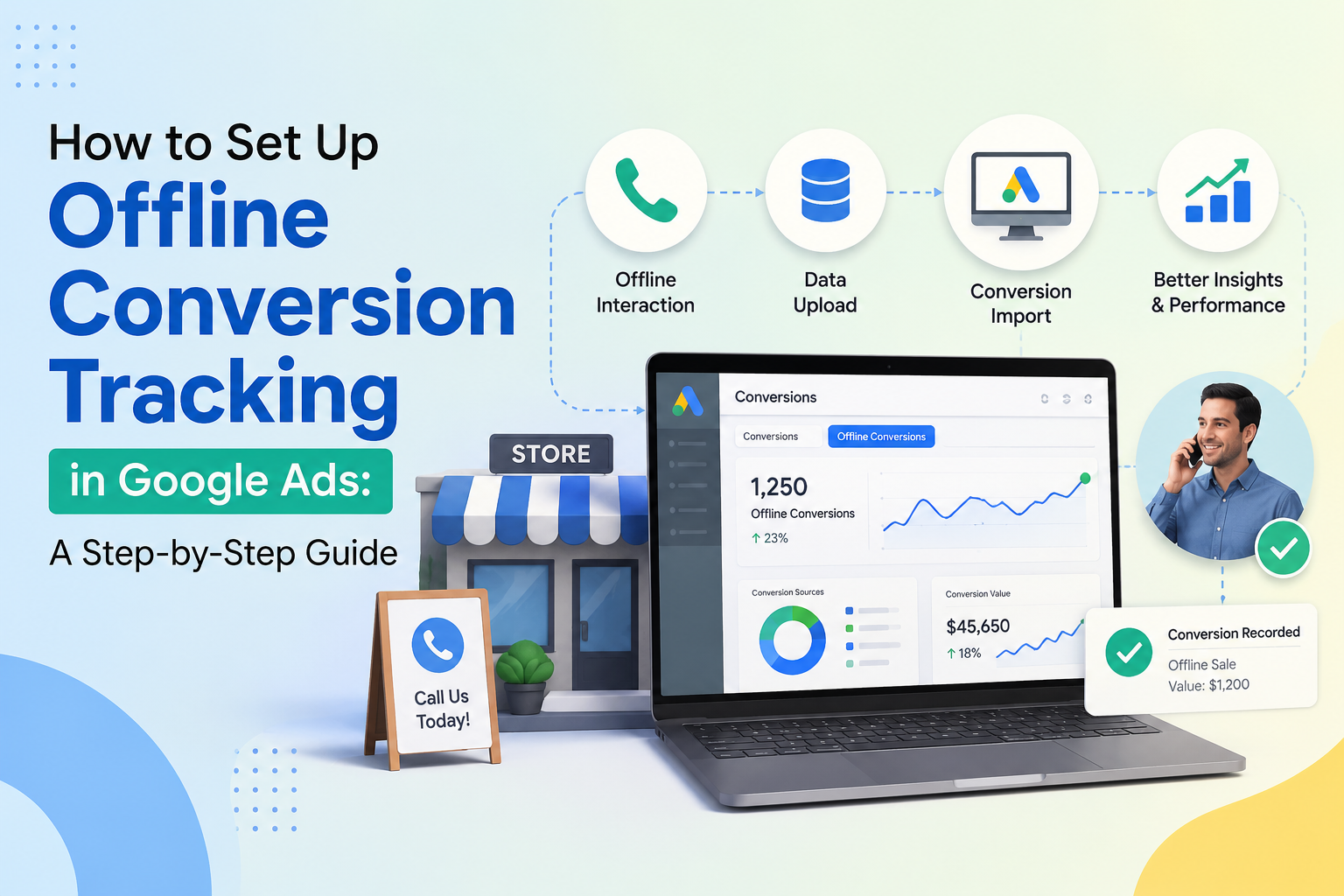
Are you truly measuring the success of your digital campaigns, or are you flying blind once a lead leaves your website? Many businesses spend thousands on ads, yet they fail to see how those clicks translate into actual revenue.
Understanding what is offline conversion tracking is the first step toward fixing this disconnect. This process allows you to import data from your CRM directly into your advertising dashboard. By doing this, you gain a complete view of your customer journey from the initial click to the final sale.
Implementing offline conversion tracking is essential for modern growth. It helps you optimize your bids based on real profit rather than just lead volume. When you close the loop between your marketing efforts and your bottom line, you can finally stop guessing which ads actually drive growth.
Key Takeaways
- Connect your CRM data to Google Ads to see the full value of your marketing spend.
- Identify which specific keywords and campaigns generate the highest quality leads.
- Improve your automated bidding strategies by feeding them real-world sales data.
- Bridge the gap between digital engagement and final revenue outcomes.
- Make data-driven decisions that prioritize profit over simple click-through rates.
Turn Your Ad Clicks Into Real Revenue
Stop relying on incomplete data. Connect your CRM and Google Ads to track valuable conversions, optimize campaigns, and maximize your marketing ROI with confidence.
What is Offline Conversion Tracking?
If your sales process moves from a website form to a phone call, you need a better way to track results. Many businesses rely on digital signals, but these often miss the most important part of the journey. Implementing offline conversion tracking allows you to see exactly which ads lead to actual revenue.
Why Online Data Is Not Enough?
Relying solely on online metrics like clicks or form submissions provides an incomplete view of your marketing performance. You might see a high volume of leads, but those numbers do not tell you which leads actually turn into paying customers. Without what is offline conversion tracking, you are essentially flying blind when it comes to your return on investment.
“Data is a precious thing and will last longer than the systems themselves.”
Digital platforms often fail to capture the final sale that happens in a showroom or over the phone. This disconnect creates a major blind spot in your reporting. By ignoring these offline events, you risk optimizing your campaigns for low-quality leads rather than high-value sales.
Bridging the Gap Between CRM and Google Ads
Connecting your Customer Relationship Management (CRM) system to Google Ads is the key to solving this visibility problem. This integration ensures that your advertising data reflects the reality of your business operations. When you understand what is offline conversion tracking, you can feed real sales data back into your ad accounts.
This process empowers you to make smarter bidding decisions based on actual profit rather than just lead volume using offline conversion tracking. By bridging the gap between your CRM and Google Ads, you gain a clear picture of your true customer acquisition costs. Ultimately, this level of insight is essential for any business that closes deals outside of the digital environment.
Prerequisites for Successful Implementation
Success in tracking offline conversions begins long before you upload your first file. You must ensure your digital infrastructure is ready to handle the flow of data between your customer touchpoints and your advertising platform. Understanding how to track offline conversion tracking requires a disciplined approach to both your website architecture and your internal database management.
Technical Requirements for Your Website
Your website serves as the primary collection point for the unique identifiers needed to link ad clicks to real-world sales in offline conversion tracking. To maintain data integrity, you must modify your existing lead generation forms to capture the Google Click ID (GCLID). This hidden field acts as the bridge between your online ads and your offline business results.
- Form Compatibility: Ensure your CMS or custom form builder supports hidden input fields.
- Data Persistence: Implement a script that stores the GCLID in a cookie or local storage to ensure it persists across sessions.
- Validation: Test your forms to confirm that the GCLID is successfully passed to your backend database upon submission.
Preparing Your CRM for Data Integration
Once your website captures the necessary data, your Customer Relationship Management (CRM) system must be configured to store and export it. Without a properly mapped CRM, you will struggle to understand how to track offline conversion tracking effectively. You need to ensure that every lead record contains the GCLID and a corresponding status field.
The following table outlines the essential components your CRM must support to facilitate a smooth integration with Google Ads:
| CRM Component | Purpose | Requirement |
|---|---|---|
| GCLID Field | Stores the unique click identifier | Mandatory |
| Lead Status | Tracks conversion stages | Mandatory |
| Timestamp | Records when the lead converted | Recommended |
Finally, verify that your CRM can export data in a format compatible with Google Ads, such as CSV or Excel. By preparing these systems in advance, you create a reliable pipeline that simplifies how to track offline conversion tracking and improves your overall marketing ROI.
Defining Your Conversion Actions in Google Ads
Establishing a clear framework for your data is the most critical step when you learn how to track offline conversion tracking. By defining specific actions within your account, you provide the Google Ads algorithm with the necessary signals to optimize your bidding strategies effectively.
Creating a New Conversion Action
To begin, navigate to the “Goals” section in your Google Ads dashboard and select “Conversions.” Click on the blue plus button to create a new conversion action.
Choose the “Import” option, as this is specifically designed for offline conversion tracking data. You will then select “Other data sources or CRMs” followed by “Track conversions from clicks.” This path ensures that your account is ready to receive data from your external systems.
Selecting the Right Conversion Category
Once you have initiated the setup, you must categorize your conversion correctly. This selection helps Google understand the nature of the event, such as a qualified lead or a closed sale.
- Lead: Best for tracking initial contact or form submissions.
- Qualified Lead: Use this when a lead meets specific criteria.
- Purchase: Ideal for tracking final offline sales.
Choosing the accurate category is vital for the machine learning models to prioritize the right audience segments. Proper categorization directly impacts your return on ad spend by helping the system identify high-value users.
Configuring Value and Count Settings
The final step involves setting the value and count parameters for your conversion. You should decide whether every interaction counts or only the first one.
For most offline sales, you should set the count to “Every” to capture the full volume of revenue. Regarding value, you have two primary options:
- Same value: Assign a static amount to every conversion.
- Different values: Use dynamic values to reflect the actual revenue of each specific sale.
Configuring these settings accurately ensures that your reporting reflects the true business impact of your campaigns. When you master how to track offline conversion tracking, you gain the ability to feed precise revenue data back into the platform, allowing for smarter automated bidding.
Implementing the GCLID Capture Mechanism
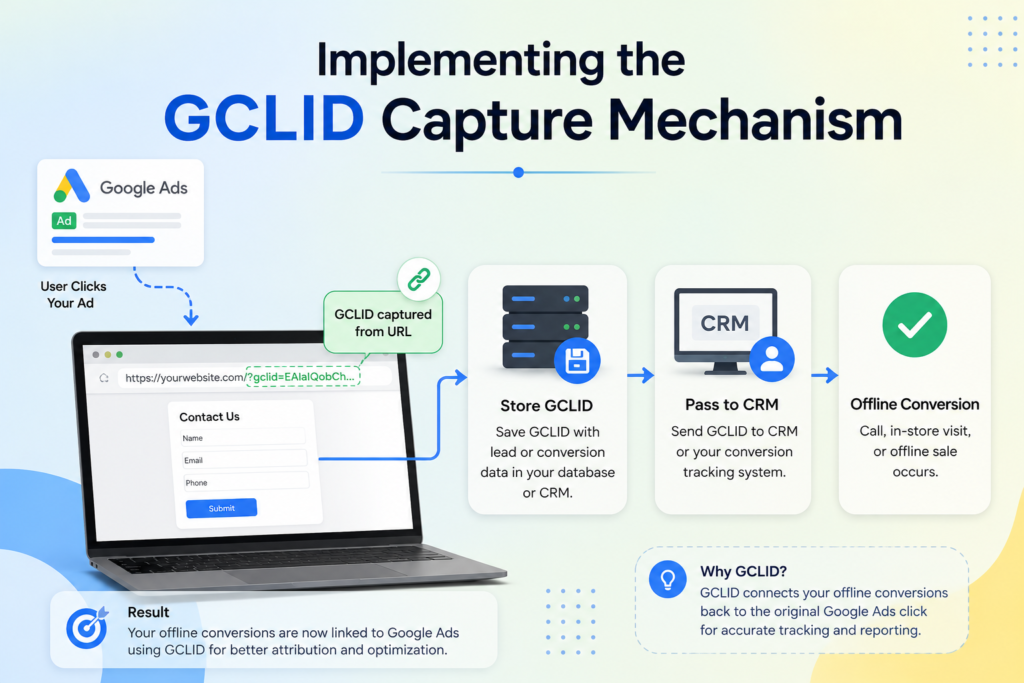
The foundation of accurate google ads offline conversion tracking lies in the precise capture of the GCLID parameter. Without this unique identifier, your advertising platform cannot reconcile a specific lead with the ad click that generated it. By setting up this mechanism, you ensure that every dollar spent on your campaigns is accounted for in your final revenue reports.
What Is a GCLID and Why It Matters?
A GCLID, or Google Click Identifier, is a unique string of characters that Google appends to your landing page URL when a user clicks your ad. This identifier acts as a digital bridge, connecting the anonymous click data in your advertising account to the specific lead information stored in your internal systems.
“Data integrity is the bedrock of performance marketing; if you cannot track the origin of your leads, you are essentially flying blind in a competitive market.”
Without capturing this value, you lose the ability to attribute offline sales back to your digital efforts in offline conversion tracking. Maintaining this link is essential for optimizing your bidding strategies and improving your overall return on investment.
Modifying Your Website Forms to Capture GCLID
To capture this data, you must modify your website forms to include a hidden field that automatically pulls the GCLID from the URL. Most modern content management systems or form builders allow you to inject a small script that reads the URL parameter and populates the hidden field before the user hits the submit button.
Security and reliability are paramount during this phase. Ensure that your form validation does not strip the GCLID parameter before the data is transmitted to your server. Testing your forms in a staging environment is a best practice to confirm that the identifier is successfully passed through every time a lead is generated.
Storing GCLID Data in Your CRM
Once the form is submitted, your CRM must be configured to accept and store the GCLID alongside the lead’s contact details. You should create a custom field within your CRM specifically designed to hold this alphanumeric string. This ensures that when you are ready to perform your google ads offline conversion tracking, the data is readily available for export.
| Tracking Method | Data Granularity | Implementation Effort |
|---|---|---|
| Standard Pixel | Low (Online only) | Minimal |
| GCLID Capture | High (Full Funnel) | Moderate |
| Enhanced Conversions | High (Privacy-focused) | Advanced |
By keeping this data organized, you create a seamless workflow for your sales and marketing teams. Proper storage allows for consistent reporting and helps you identify which specific campaigns are driving the highest quality leads for your business.
Configuring Your Google Ads Account for Offline Imports
Setting up your account for google ads offline conversion tracking is a critical step in bridging the gap between your CRM and your ad performance. Once your data collection mechanism is in place, you must prepare your dashboard to accept and process these external signals. This configuration ensures that your account can accurately attribute offline sales to specific online interactions.
Enabling Offline Conversion Imports
To begin, navigate to the “Conversions” section within your Google Ads account settings. You will need to create a new conversion action specifically designated for offline imports. Selecting the correct conversion category is vital, as it tells the system how to interpret the data you provide.
Once the action is created, ensure that the “Import” setting is toggled to active. This step effectively opens the gateway for your CRM data to flow into the platform. Without this specific configuration, your uploaded files will be rejected by the system.
“Data is the bridge between your marketing spend and your actual business revenue; without it, you are simply guessing at your return on investment.”
Setting Up Conversion Upload Schedules
Consistency is key when managing google ads offline conversion tracking. You should establish a regular upload schedule to keep your performance data fresh and actionable. Automated schedules prevent the need for manual intervention and ensure your bidding algorithms receive timely updates.
You can configure these schedules by linking your Google Sheets or using the API to push data at set intervals. Automating your data pipeline reduces the risk of human error and ensures that your conversion metrics remain current. Aim for a frequency that aligns with your sales cycle to maintain the highest level of accuracy.
Managing User Permissions for Data Uploads
Security remains a top priority when handling sensitive customer information. You must carefully manage user permissions to ensure that only authorized personnel can perform data uploads to your account. Restricting access to administrative roles prevents unauthorized changes to your conversion tracking setup.
Regularly audit your account access list to remove users who no longer require permission to modify conversion settings. By maintaining strict control over who can interact with your google ads offline conversion tracking configuration, you protect the integrity of your data. This disciplined approach provides peace of mind while you scale your marketing efforts.
Formatting Your Conversion Data for Upload
Data formatting errors often cause import failures, but you can avoid these pitfalls with a structured approach. When you are tracking offline conversions, the precision of your data file determines the quality of your final insights. A clean, well-structured file ensures that Google Ads can accurately map your offline events to the correct ad clicks.
Required Data Fields for Successful Imports
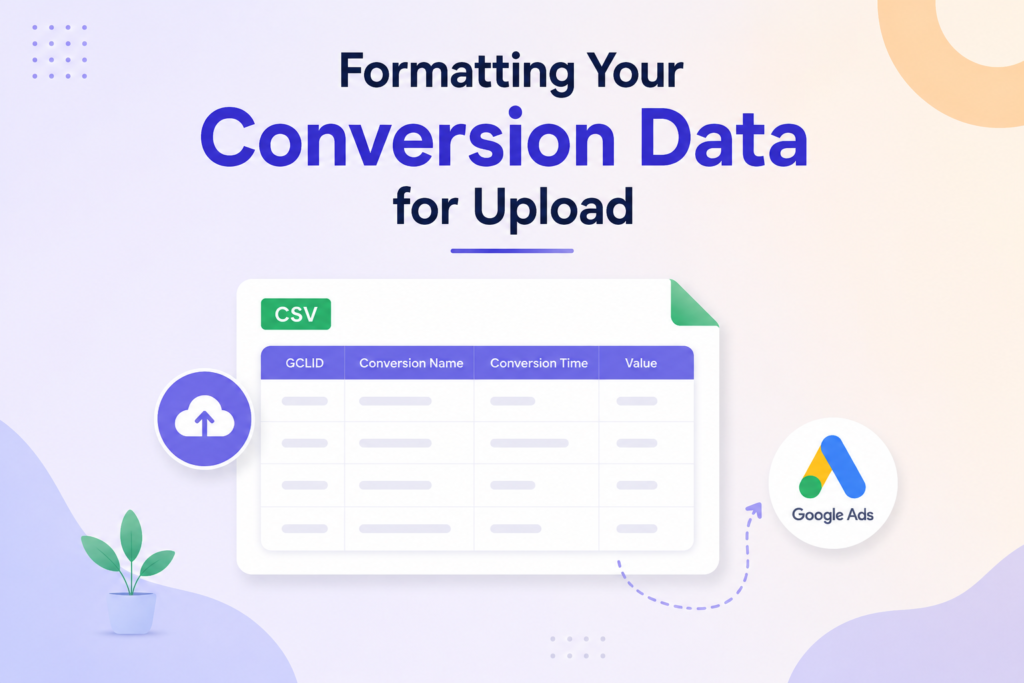
To successfully import your data, you must include specific columns that Google Ads requires to identify the conversion for offline conversion tracking. The most vital field is the GCLID, which acts as the unique identifier linking your ad click to a specific lead. Without this, the system cannot attribute the conversion to your campaign.
In addition to the GCLID, you must provide the Conversion Name exactly as it appears in your Google Ads account. You also need to include the Conversion Time in a recognized format. Including the Conversion Value and Currency Code is optional but highly recommended for calculating your return on ad spend.
Creating the Correct CSV or Excel Template
Building a reliable template is the best way to maintain consistency when tracking offline conversions. Start by creating a header row that matches the exact naming conventions required by the Google Ads import tool. Using a standardized template prevents manual entry errors and speeds up your workflow.
| Field Name | Data Type | Requirement |
|---|---|---|
| Google Click ID | Alphanumeric | Mandatory |
| Conversion Name | Text | Mandatory |
| Conversion Time | YYYY-MM-DD HH:MM:SS | Mandatory |
| Conversion Value | Numeric | Optional |
Common Formatting Errors to Avoid
Even small mistakes can lead to rejected files during the upload process. One of the most frequent issues involves incorrect date formats, which must strictly follow the ISO 8601 standard or the specific format required by your account settings. Always double-check that your time zone matches the one configured in your Google Ads account.
Another common error is leaving required columns empty or using inconsistent naming for your conversion actions. Ensure that your file is saved in a standard CSV format to avoid compatibility issues. By validating your data before every upload, you ensure that tracking offline conversions remains a seamless part of your marketing strategy.
Executing the Offline Conversion Tracking Process
You have several options for executing the data transfer process, ranging from manual uploads to fully automated pipelines. Selecting the right method for tracking offline conversions depends largely on your technical resources and the volume of data you manage daily.
Uploading Data via the Google Ads Interface
The most straightforward approach involves using the native Google Ads interface to upload your conversion files directly. This method is ideal for teams that prefer a simple, visual workflow without needing custom code.
You simply navigate to the conversions section, select your offline action, and upload your formatted CSV or Excel file for offline conversion tracking. Consistency is key here, as the system requires specific headers to map your data correctly to the corresponding ad clicks.
“Efficiency is doing things right; effectiveness is doing the right things.”
Automating Uploads Using Google Ads API
For larger organizations, manual processes often become a bottleneck that hinders performance. Automating your data flow via the Google Ads API ensures that your tracking offline conversions strategy remains accurate and up-to-date in real-time.
By connecting your CRM directly to the API, you eliminate human error and reduce the time spent on administrative tasks. This integration allows your bidding algorithms to receive fresh data, which is essential for maintaining a competitive edge in your market.
Using Google Sheets for Manual Uploads
If you are managing smaller datasets or testing new conversion events, Google Sheets offers a flexible middle ground. You can maintain your conversion logs in a shared document and use the built-in Google Ads integration to push updates periodically.
This method provides a user-friendly interface that allows your team to review data before it hits the live account. It serves as an excellent bridge for businesses that are not yet ready to invest in full API development but need more structure than a static file upload.
Verifying and Troubleshooting Your Data
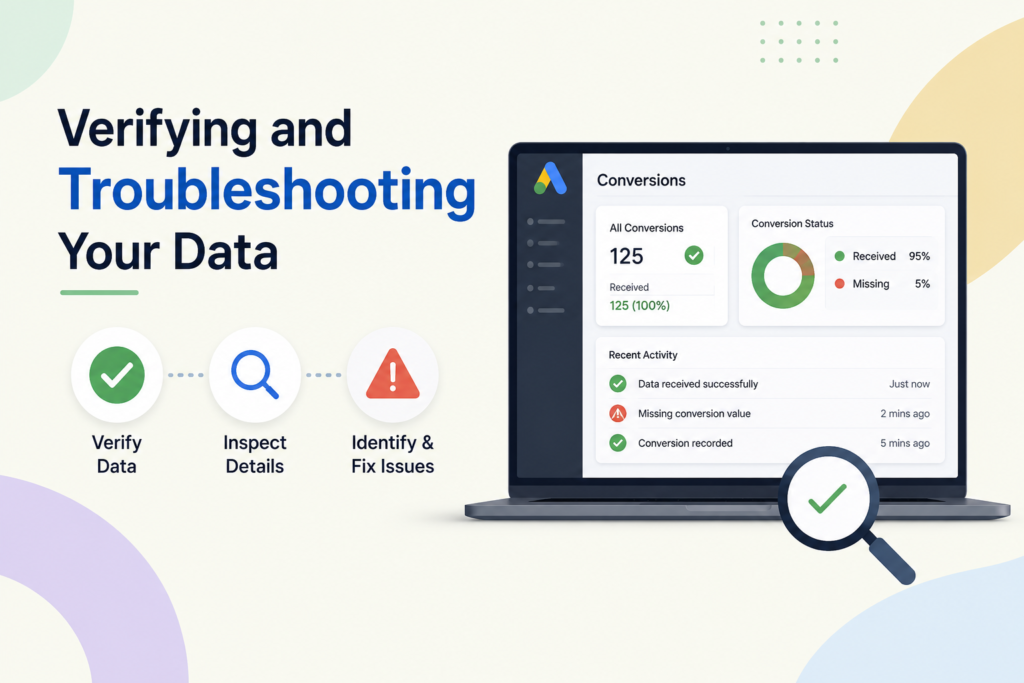
After you initiate your first upload, you must confirm that Google Ads has processed the information correctly. Learning how to track offline conversions in google ads effectively involves more than just the initial setup; it requires consistent monitoring. By validating your data, you ensure that your bidding strategies remain based on accurate, high-quality lead information.
Checking Upload Status in Google Ads
To verify your progress, navigate to the “Conversions” section within your Google Ads account. Select the “Uploads” tab to view a comprehensive history of your recent data submissions. You will see a status column that indicates whether your file was processed successfully or if it encountered specific issues.
If the status shows as “Completed,” your data has been successfully integrated into your campaign metrics. However, if you see a “Completed with errors” status, you must click on the file name to download the error report. This report provides specific details on which rows failed and why, allowing you to fix the underlying issues quickly.
Identifying and Resolving Common Upload Errors
Technical glitches are common when you first learn how to track offline conversions in google ads. Most errors stem from formatting inconsistencies or missing GCLID values. Reviewing the following table will help you address the most frequent obstacles encountered during the upload process.
| Error Type | Common Cause | Resolution Strategy |
|---|---|---|
| Invalid GCLID | Expired or malformed ID | Verify CRM capture logic |
| Missing Column | Incorrect CSV header | Use official Google template |
| Conversion Date | Incorrect time zone format | Standardize to UTC/ISO 8601 |
| Duplicate Entry | Uploading same file twice | Check unique transaction IDs |
Validating Conversion Data Accuracy
Once your uploads are error-free, you must validate the data against your internal CRM records. Compare the total number of conversions reported in Google Ads with the actual number of qualified leads generated during the same period. This cross-referencing process is vital to ensure your reporting reflects the true performance of your marketing efforts.
If you notice a significant discrepancy, check your GCLID capture rate on your website forms. A low capture rate often leads to under-reported conversions, which can skew your return on ad spend calculations. Maintaining high data integrity is the final step in mastering how to track offline conversions in google ads for long-term success.
Optimizing Campaigns Based on Offline Insights
Mastering how to track offline conversions in Google Ads allows you to shift your focus toward high-value customer acquisition. By connecting your CRM data to your advertising platform, you gain a clear view of which campaigns actually drive revenue rather than just clicks. This transition from volume-based metrics to value-based outcomes is essential for scaling your business effectively.
Unlock Smarter Campaign Optimization Today
Discover which keywords and campaigns drive profitable customers. Use accurate offline conversion data to improve bidding strategies and make better marketing decisions.
Adjusting Bidding Strategies Using Offline Data
Once your data is flowing, you should leverage Smart Bidding strategies like Target ROAS or Maximize Conversion Value. These algorithms perform best when they receive high-quality signals about which leads eventually convert into paying customers. By feeding offline conversion data back into the system, you enable Google to bid more aggressively on users who mirror your most profitable clients.
Data is the compass that guides your marketing ship through the turbulent waters of digital competition. Without accurate offline insights, you are essentially sailing blind.
Refining Audience Targeting Based on Lead Quality
You can now segment your audiences based on the specific quality of leads they generate. Instead of treating all form submissions as equal, you should identify the characteristics of your top-tier customers. Use this information to create custom segments that prioritize users who demonstrate similar behaviors or demographic profiles.
The following table illustrates how you can categorize leads to inform your targeting adjustments:
| Lead Stage | Quality Score | Action Required |
|---|---|---|
| Marketing Qualified | Low | Monitor and nurture |
| Sales Qualified | Medium | Increase bid adjustment |
| Closed Won | High | Scale audience reach |
Analyzing the Impact on Return on Ad Spend
Understanding how to track offline conversions in Google Ads is ultimately about measuring your true Return on Ad Spend (ROAS). When you attribute offline sales to specific keywords and ads, you can identify which areas of your account are wasting budget. This granular visibility empowers you to reallocate funds toward high-performing channels that deliver the best financial results.
Regularly auditing your performance data ensures that your marketing budget remains aligned with your business goals and offline conversion tracking objectives. By focusing on the metrics that matter, you transform your advertising account into a powerful engine for sustainable growth. Consistent analysis of these offline insights will keep your campaigns ahead of the curve in a competitive market.
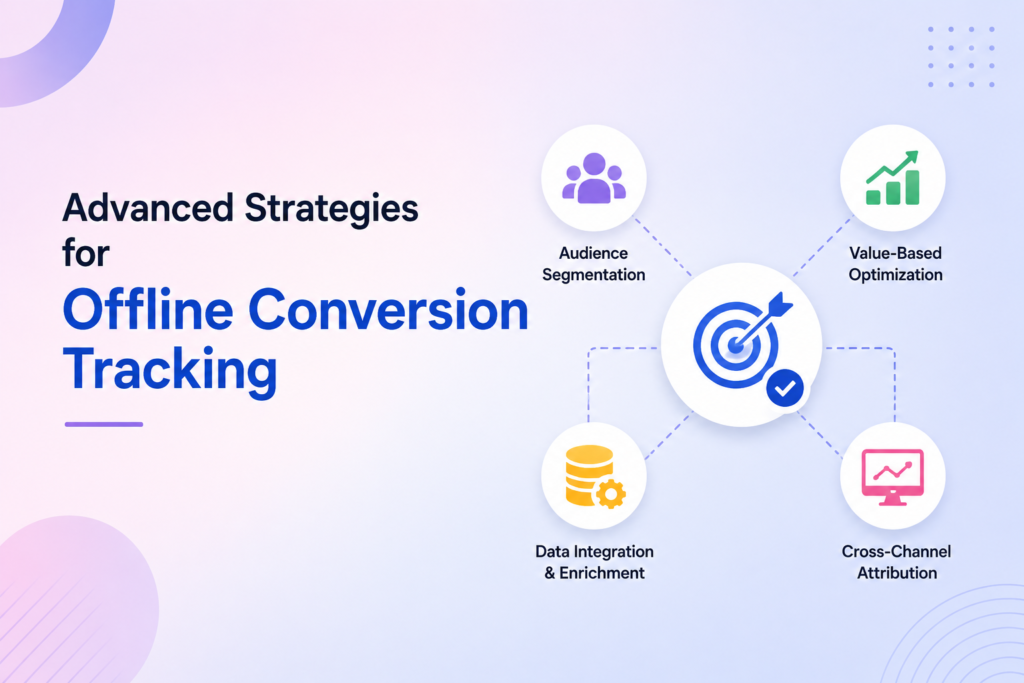
Advanced Strategies for Offline Conversion Tracking
Mature organizations often require more sophisticated methods to track offline conversions effectively. As your business grows, relying on basic manual uploads may no longer suffice to capture the full customer journey. Implementing advanced techniques ensures that your data remains accurate and actionable across all channels.
Integrating Third-Party CRM Platforms
Connecting your customer relationship management (CRM) system directly to Google Ads streamlines your data flow. Platforms like Salesforce, HubSpot, or Zoho can automate the transfer of lead status updates. This integration eliminates manual errors and ensures that your offline conversion tracking remains up-to-date in real-time.
- Automate data synchronization to reduce manual workload.
- Ensure consistent lead scoring across your marketing and sales teams.
- Enable faster bid adjustments based on the latest lead quality data.
Leveraging Enhanced Conversions for Leads
Enhanced conversions for leads improve your ability to attribute offline sales to specific ad clicks. By securely hashing first-party customer data, such as email addresses or phone numbers, you can significantly increase your match rates. This process helps you track offline conversions even when cookies are restricted or unavailable.
Key benefits of this approach include:
- Higher accuracy in conversion reporting.
- Better performance for automated bidding strategies.
- Improved privacy compliance through secure data hashing.
Scaling Your Tracking Across Multiple Business Units
Large enterprises often struggle with fragmented data across different departments or regional branches. To maintain a unified view of your marketing performance, you must standardize your tracking protocols across every business unit. Centralizing your data architecture allows for a holistic analysis of your return on ad spend.
By implementing a consistent framework, you can compare performance metrics across diverse product lines or geographic locations using offline conversion tracking. This level of visibility is crucial for making informed decisions that drive long-term growth. Standardization is the foundation of a scalable and reliable marketing measurement strategy.
Measure What Actually Drives Growth
Stop guessing which ads work. Track every valuable customer journey, improve performance, and invest your budget where it creates the biggest business impact.
Conclusion
Building a bridge between your CRM and Google Ads transforms how you view marketing success. You now possess the tools to track offline conversions with precision and clarity. This visibility allows you to see the true impact of your digital spend on actual revenue.
Your ability to track offline conversions remains a vital asset in a crowded marketplace. You can now identify which campaigns drive high-value leads rather than just clicks. Use these insights to shift your budget toward the tactics that generate real business growth.
Consistency is the key to long-term success with this data integration. Review your upload schedules and verify your lead quality on a regular basis. Small adjustments to your bidding strategy based on these findings will keep your performance metrics moving in the right direction.
Digital marketing evolves quickly, but your data foundation is now secure. Continue to test new audience segments and refine your lead qualification process. Your commitment to accurate measurement will provide a lasting competitive advantage for your brand.
FAQs
What is offline conversion tracking and why is it essential for your business?
Offline conversion tracking is a process that allows you to link real-world sales outcomes, such as a signed contract in Salesforce or an in-person consultation, back to the specific digital ad click that generated the lead. It is essential because it provides a complete picture of your ROI, moving beyond simple website clicks to show which campaigns are driving actual revenue through your CRM.
How to track offline conversions in Google Ads effectively?
To track offline conversions, you must first enable your website to capture the Google Click Identifier (GCLID) when a visitor submits a lead form. Once this ID is stored in your CRM alongside the lead’s information, you can periodically upload a file containing the GCLID and the conversion details back into Google Ads to attribute the sale to the correct campaign.
What is the role of the GCLID in google ads offline conversion tracking?
The GCLID, or Google Click Identifier, acts as the primary key for google ads offline conversion tracking . It is a unique string of characters that Google Ads appends to your landing page URLs. By capturing this ID and storing it in your database, you maintain a “digital fingerprint” that allows Google to identify exactly which keyword and ad resulted in an offline sale.
How to track offline conversion tracking if your sales cycle happens entirely over the phone?
You can manage how to track offline conversion tracking for phone sales by using call-tracking software or by manually recording the GCLID during the intake process. When the lead eventually converts into a customer, you upload that specific GCLID to Google Ads, ensuring your phone-based revenue is credited to your digital marketing efforts.
Can you automate the process of tracking offline conversions?
Yes, you can automate tracking offline conversions by integrating your CRM, such as HubSpot or Zoho, directly with the Google Ads API. Alternatively, you can set up a scheduled upload using Google Sheets or an SFTP server, which allows Google Ads to fetch your updated conversion data at regular intervals without manual intervention.
What are the most common formatting errors to avoid when you track offline conversions?
When you track offline conversions, the most frequent errors involve incorrect date and time formats. Google Ads requires a specific format (typically yyyy-mm-dd hh:mm:ss+tz). Other common issues include using a conversion name that does not exactly match the one created in your account or failing to wait at least 24 hours after the click occurred before attempting the upload.
How does tracking offline conversions improve your bidding strategies?
By tracking offline conversions, you feed high-quality data into Google Ads Smart Bidding algorithms. Instead of optimizing for “cheap leads” that may never buy, the system uses your offline data to prioritize bidding on users who share characteristics with your actual paying customers, significantly improving your overall return on ad spend.
Is it possible to use enhanced conversions for leads alongside offline tracking?
Yes, Google Ads now offers Enhanced Conversions for Leads as a powerful supplement to traditional offline conversion tracking. This method uses hashed first-party data (like email addresses) from your leads to improve match rates, providing a more resilient tracking solution in an era of declining cookie reliability.
Can you track offline conversions without a CRM system?
Yes, you can track offline conversions without a dedicated CRM system, but it requires a reliable method for storing and managing your lead data. For example, you can use spreadsheets or databases to record the Google Click Identifier (GCLID) alongside customer information and conversion details. However, a CRM simplifies the process by automating data storage, reducing errors, and making offline conversion tracking more scalable as your business grows.
How long do you have to upload offline conversions to Google Ads?
Google Ads allows you to upload offline conversions for up to 90 days after the original ad click, provided you have captured the correct GCLID. To ensure accurate attribution and better bidding optimization, it is recommended to upload conversion data as soon as possible after a lead becomes a customer. Regular and timely uploads help Google Ads learn faster and improve campaign performance.