
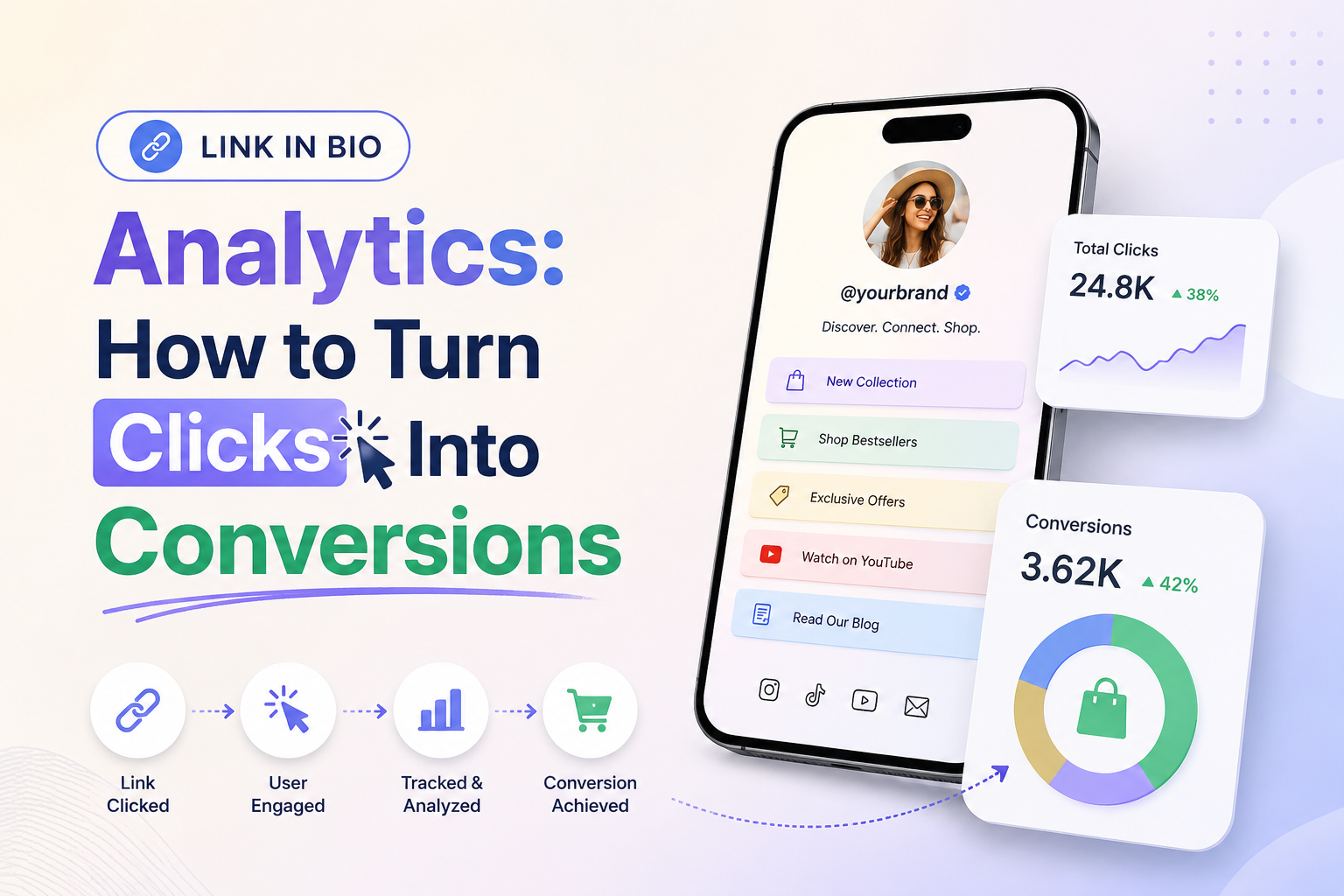
Are you tired of watching your social media traffic vanish without driving actual sales? Many creators track vanity metrics, but they often miss the bigger picture regarding their audience’s true intent with link in bio analytics.
Understanding link in bio analytics is the most effective way to determine if your digital presence produces meaningful business results. By moving beyond simple traffic counts, you can start measuring how your followers interact with your brand.
This guide helps you master the art of tracking activity and interpreting complex audience behavior. You will learn how to refine your landing pages to ensure every visitor finds exactly what they need. We will walk through goal setting, implementation, and advanced testing strategies to help you maximize your conversion rates.
Key Takeaways
- Learn to distinguish between passive traffic and active customer engagement.
- Discover how to set clear goals for your social media landing pages.
- Master the process of tracking user behavior to identify drop-off points.
- Implement data-driven changes to improve your overall conversion performance.
- Use professional reporting techniques to validate your marketing efforts.
Turn Clicks Into Conversions
Stop guessing which social links drive results. Use actionable analytics to identify high-intent visitors, optimize your landing pages, and turn more clicks into customers.
What Link in Bio Analytics Reveals About Your Audience
Your link in bio page acts as a digital bridge between casual social media browsing and meaningful business outcomes. When you track link clicks, you gain a clear window into how your followers interact with your brand beyond the social feed. This data transforms vague social media activity into actionable insights about your audience’s preferences.
How a Link in Bio Page Fits Into the Customer Journey
A well-structured bio page supports every stage of the customer journey. It begins with initial discovery, where a user finds your profile and feels intrigued by your content. From there, link in bio analytics can show how the page guides them toward deeper engagement, such as reading a blog post or signing up for a newsletter.
Ultimately, this page serves as the final push toward a purchase or a high-value conversion. By mapping your links to these specific stages, you can see exactly where your audience is in their decision-making process.
The Difference Between Reach, Clicks, Visits, and Conversions
It is vital to distinguish between vanity metrics and true business outcomes. Reach tells you how many people saw your profile, but it does not indicate interest. When you track link clicks, you move from passive exposure to active engagement.
Visits represent the traffic that actually lands on your website, while link in bio analytics can help connect that traffic to conversions and completed goals. Understanding this funnel helps you identify where you are losing potential customers.
| Metric | Definition | Business Value |
|---|---|---|
| Reach | Total unique views | Brand awareness |
| Clicks | Interaction with links | Audience interest |
| Visits | Landing page arrival | Site engagement |
| Conversions | Completed actions | Revenue generation |
Why Click Volume Alone Does Not Measure Success
Many marketers fall into the trap of chasing high click volume without considering link in bio analytics. However, raw numbers often lack the necessary context to drive strategy. You must track link clicks alongside link in bio analytics qualitative data to understand the “why” behind the numbers.
“Data is not just about the volume of traffic; it is about the quality of the connection you build with your audience through every single click.”
When high clicks indicate curiosity instead of purchase intent
Sometimes, a link might receive hundreds of clicks but very few sales. This often happens when the link promises entertainment or curiosity rather than a specific product solution. High clicks in this scenario suggest that your audience enjoys your content but is not yet ready to commit to a purchase.
How low clicks can still produce valuable conversions
Conversely, a link with low volume can be your most profitable asset. If you track link clicks for a high-ticket item or a niche service, you might find that only a few people click, but those who do are highly likely to convert. These high-intent users are often more valuable to your business than a large crowd of casual browsers.
Set Clear Conversion Goals Before You Track Link Clicks
Setting clear objectives transforms your link in bio page from a simple list of links into a powerful conversion engine when supported by link in bio analytics. Before you implement any link tracking tool, you must identify the specific business outcomes that matter most to your growth. Without these targets, you risk collecting data that looks impressive but fails to drive actual revenue or engagement.
Choose the Primary Action You Want Visitors to Take
Every page in your bio should have one dominant goal that aligns with your current business priority. Whether you want to drive traffic to a new product launch or increase newsletter subscribers, your primary call to action must be the most visible element on the page. This focus ensures that your most valuable audience members know exactly where to click first, while link in bio analytics helps you measure those interactions.
Define Secondary Goals for Different Audience Segments
Not every visitor is ready to make a purchase immediately, so you should offer secondary paths that cater to different stages of the customer journey. By segmenting your links, you can nurture casual followers while still pushing high-intent users toward your main offer. This approach prevents your link in bio analytics from becoming a confusing mess of unrelated data points.
Sales, bookings, email signups, downloads, and app installs
These high-value actions represent the core of your business growth. You should prioritize these links at the top of your page to capture the most motivated traffic. Tracking these specific events allows you to calculate the direct return on investment for your social media efforts.
Profile visits, content views, and community actions
Secondary goals like reading a blog post or joining a community group help build long-term brand loyalty. These actions keep your audience engaged even when they are not ready to buy. They serve as essential touchpoints that move users closer to a future conversion.
Connect Each Goal to a Measurable Success Metric
Once your goals are defined, you must assign a specific metric to each one through link in bio analytics. A reliable link tracking tool will help you map these actions to real-time data. If your goal is a sale, your metric is the conversion rate; if your goal is brand awareness, your metric is the total number of unique clicks.
Set Benchmarks for Click-Through Rate and Conversion Rate
Establishing benchmarks allows you to judge whether your performance is improving over time using link in bio analytics. You should review industry standards for your niche to see how your current click-through rates compare. Setting these targets early ensures that your future decisions remain evidence-based rather than driven by guesswork.
| Goal Type | Primary Metric | Success Indicator |
|---|---|---|
| Sales/Bookings | Conversion Rate | Completed Transaction |
| Email Signups | Form Submission Rate | New Subscriber Added |
| Content Views | Average Session Time | Page Engagement |
| App Installs | Click-to-Install Ratio | Successful Download |
Link in Bio Analytics Tools and Tracking Methods
Building a robust tracking stack is the secret to turning social engagement into real revenue. By combining different layers of data, you gain a complete picture of how your audience moves from a social profile to your website. Effective link in bio analytics allow you to see not just who clicked, but what they did once they arrived.
Use Built-In Analytics From Your Link in Bio Platform
Most landing page tools provide native link in bio analytics dashboards that offer a quick snapshot of performance. These tools are excellent for identifying which buttons receive the most attention at a glance. They provide immediate feedback on your most popular content without requiring complex setup.
Evaluate a Link Tracking Tool for Deeper Attribution
When you need granular data, dedicated tracking platforms offer more control over your traffic and link in bio analytics. These services help you bridge the gap between a social click and a specific conversion event.
Required features such as unique URLs, event tracking, and filters
Look for platforms that support unique tracking URLs and custom event triggers. These features allow you to filter out noise and focus on high-intent visitors. Advanced filtering ensures your data remains clean and actionable.
Reporting limits, data retention, and export options
Always check the platform’s data retention policy before committing to a long-term strategy. You need a tool that allows you to export historical data for deeper analysis. Ensure the reporting limits align with your current traffic volume to avoid losing critical insights.
Add Google Analytics 4 to Measure On-Site Behavior
While social tools track the click, Google Analytics 4 (GA4) tracks the outcome. By installing GA4 on your destination pages, you can monitor bounce rates and conversion paths. This integration is essential for understanding the true value of your link in bio analytics strategy.
Use UTM Parameters to Identify Traffic Sources
UTM parameters are the industry standard for tracking the origin of your web traffic and strengthening your link in bio analytics. They append specific tags to your URLs, allowing you to see exactly which post or platform drove a visitor to your site.
UTM source, medium, campaign, content, and term conventions
Use a consistent structure for your parameters to keep your reports organized. A standard format typically includes the source (e.g., Instagram), the medium (e.g., bio-link), and the specific campaign name. This level of detail makes it easy to compare performance across different channels.
Consistent naming for Instagram, TikTok, YouTube, and email traffic
Maintain a strict naming convention to ensure your data remains readable. For example, use social_instagram or social_tiktok as your source tags. Consistent labeling prevents data fragmentation and helps you identify your most profitable traffic sources at a glance.
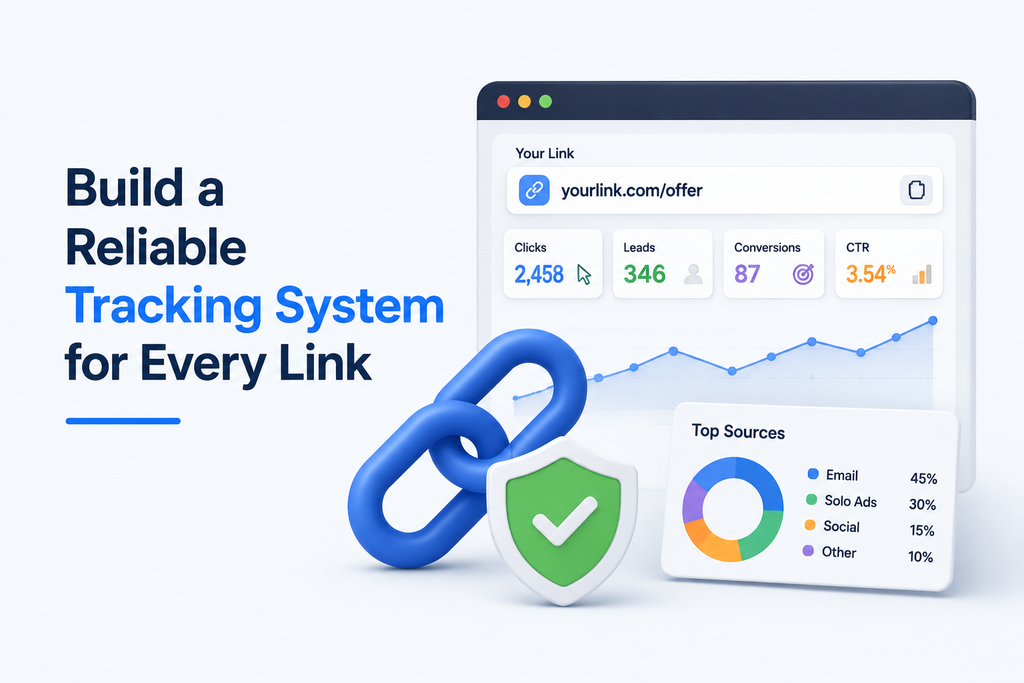
Build a Reliable Tracking System for Every Link
You can transform raw data into actionable insights by building a reliable system for every link. A structured approach prevents broken paths and ensures that your analytics reflect reality rather than guesswork. By implementing an operational checklist, you protect the integrity of your data from the moment a user taps your bio.
Create a Consistent Naming Convention for Campaign URLs
Standardization is the key to clean link in bio analytics reporting. You should adopt a naming convention that identifies the source, medium, and specific campaign for every URL. Consistency allows you to filter data quickly when you need to compare performance across different timeframes or initiatives.
Assign a Unique Destination or Tracking Link to Each Button
Never reuse the same link for multiple buttons on your landing page. Assigning a unique destination or tracking link to each button ensures that you can isolate exactly which call-to-action drives the most interest. This granularity is essential when you need to track link clicks to understand user intent.
Track Link Clicks by Platform, Campaign, and Content Type
To gain a full picture of your performance, you must categorize your traffic effectively with link in bio analytics. This requires a systematic method to track link clicks across various dimensions.
Separating organic posts from paid promotions
You must distinguish between your earned reach and your paid efforts. By using specific parameters for sponsored content, you can calculate the true return on investment for your advertising budget without it being skewed by organic traffic.
Comparing profile traffic with traffic from individual posts
It is vital to differentiate between users who click from your main profile and those who arrive via a specific post. This comparison helps you determine if your bio page serves as a general hub or if your content-specific links are the primary drivers of engagement.
Test Every Link Before Publishing Your Bio Page
An operational checklist is your best defense against misleading attribution and inaccurate link in bio analytics. Before you go live, verify that every element of your tracking setup functions as intended.
Checking redirects, mobile loading, deep links, and tracking parameters
Ensure that your redirects are fast and that your mobile landing pages load without errors. Testing deep links and tracking parameters confirms that your analytics platform will correctly capture the data once the page is live. This final quality assurance step prevents the loss of valuable traffic data and keeps your reporting accurate.
Measure the Metrics That Connect Clicks to Conversions
Data-driven marketers know that clicks are only the beginning of the conversion story, which is why link in bio analytics matters. To understand the true impact of your social media efforts, you must look at how visitors behave once they land on your site. Using a reliable link tracking tool allows you to bridge the gap between social engagement and bottom-line results.
Click-Through Rate and Page-Level Engagement
Your click-through rate (CTR) in link in bio analytics tells you how many people found your bio link compelling enough to act. However, high clicks mean little if users leave immediately. You should monitor average session duration and scroll depth to see if your landing page content actually resonates with your audience.
Conversion Rate After the Click
The conversion rate measures the percentage of visitors who complete a desired action, such as signing up for a newsletter or making a purchase. A high-quality link tracking tool helps you isolate which social sources drive the most qualified traffic. This data reveals which platforms are truly moving the needle for your business.
Cost Per Click and Cost Per Conversion for Paid Campaigns
When you run paid social ads, you must track efficiency to protect your budget. Cost per click (CPC) shows how much you pay for traffic, while cost per conversion highlights the price of acquiring a customer. Comparing these two metrics ensures your paid strategy remains profitable over time.
Revenue Per Visitor and Average Order Value
These financial metrics provide a clear picture of your return on investment. Revenue per visitor helps you understand the average value of every person who clicks your link. By tracking the average order value, you can determine if your social traffic is purchasing high-ticket items or smaller, entry-level products.
Outbound Clicks, engaged sessions, and bounce signals
Behavioral signals offer deep insights into user intent. An outbound click indicates a user is moving toward a partner site or a specific offer. Meanwhile, monitoring bounce signals helps you identify pages that fail to keep visitors interested.
- Engaged Sessions: Visits lasting longer than 30 seconds or involving multiple page views.
- Bounce Rate: The percentage of users who leave after viewing only one page.
- Conversion Path: The sequence of pages a user visits before completing a goal.
How to interpret conflicting metrics without drawing premature conclusions
Sometimes, you might see high engagement but low conversion rates. This often suggests that your content is interesting, but your call to action is not clear enough. Avoid making sudden changes based on a single day of data. Instead, look for consistent trends over a full week to ensure your decisions are based on reliable patterns rather than temporary fluctuations.
| Metric | What It Measures | Business Impact |
|---|---|---|
| CTR | Interest level | Traffic volume |
| Conversion Rate | Action taken | Revenue growth |
| Bounce Rate | Page relevance | User experience |
Use Link in Bio Analytics to Understand Audience Intent
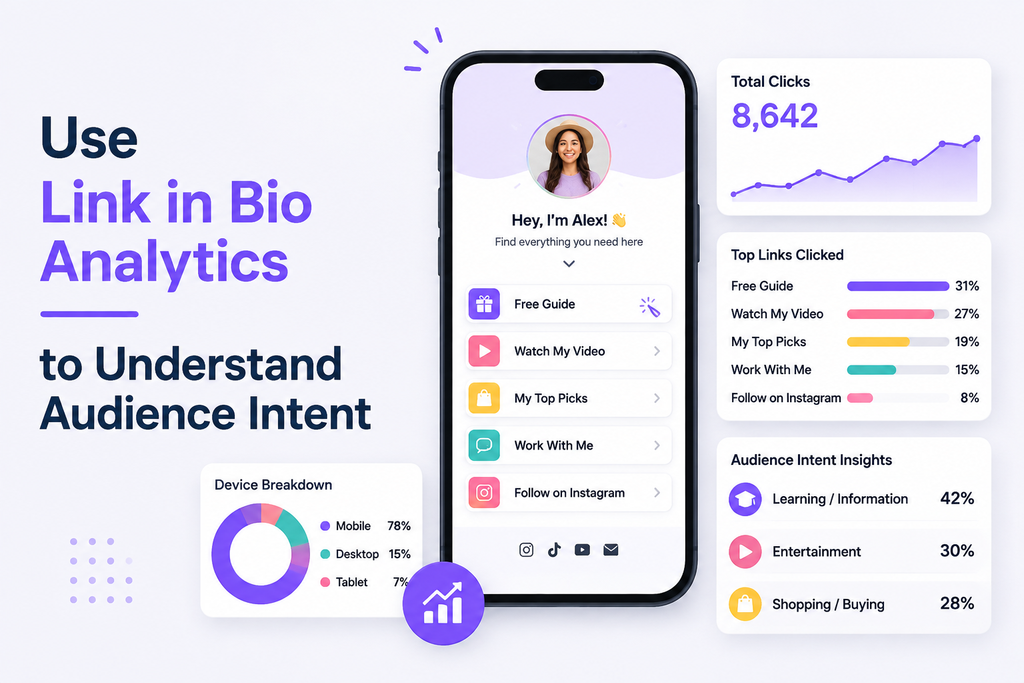
Moving beyond simple click counts allows you to uncover the true intent behind your audience’s behavior. By leveraging link in bio analytics, you can transform raw data into a clear roadmap for your digital strategy. This approach helps you see not just that someone clicked, but why they engaged with your content.
Identify the Links That Attract the Most Attention
Not all links are created equal in the eyes of your followers, as link in bio analytics can reveal which links attract the most attention. You should monitor which specific buttons receive the highest volume of interaction to understand what your audience values most. High-performing links often signal a direct interest in your core products or current promotional campaigns.
Compare Audience Behavior Across Social Platforms
Your audience behaves differently depending on where they find you, and link in bio analytics can reveal these differences. A user on Instagram might prioritize visual discovery, while a LinkedIn follower may seek professional resources. Comparing these patterns helps you tailor your messaging to fit the unique expectations of each platform.
“Data is the bridge between what you think your audience wants and what they actually need. When you analyze intent, you stop guessing and start serving.”
Analyze Performance by Device, Location, and Time Period
Context is everything when evaluating user engagement through link in bio analytics. By breaking down your data, you can identify trends that are invisible in aggregate reports.
What mobile behavior can reveal about page design and checkout friction
If your link in bio analytics show high click-through rates but low conversions on mobile, your landing page may be the culprit. Mobile users often abandon pages that load slowly or feature complex checkout forms. Simplifying your design can significantly reduce this friction and boost your bottom line.
How geography can inform offers, scheduling, and targeting
Location data allows you to align your content with the time zones and cultural preferences of your audience. You can schedule posts to hit peak activity windows in specific regions. Furthermore, you can create localized offers that resonate more deeply with regional interests.
| Metric | Mobile Users | Desktop Users | Intent Level |
|---|---|---|---|
| Avg. Session Time | 45 Seconds | 120 Seconds | High |
| Bounce Rate | 65% | 40% | Low |
| Conversion Rate | 1.2% | 3.5% | Medium |
Separate New Visitors From Returning Visitors
Distinguishing between new and returning visitors through link in bio analytics is vital for your growth strategy. New visitors are often in the discovery phase, while returning visitors demonstrate brand loyalty and higher purchase intent. You should customize your bio links to cater to these distinct groups effectively.
Map High-Intent Actions to Different Audience Segments
Finally, you must map specific actions to the segments that perform them. By tracking which groups engage with high-intent links, such as “Add to Cart” or “Book a Consultation,” you can refine your targeting. This ensures that your link in bio analytics directly support your broader business goals.
Diagnose Why Visitors Click but Do Not Convert
When your audience clicks your links but leaves without buying, link in bio analytics can help you identify the conversion gap to bridge. It is common to track link clicks successfully, yet struggle to turn that interest into a completed action. You must look beyond the numbers to understand the behavioral friction points that stop your visitors from finishing their journey.
Optimize Your Link in Bio
Discover where visitors drop off and which links perform best. Build a smarter bio page using real audience behavior and data-backed conversion strategies.
Find Mismatches Between the Bio Promise and the Destination Page
The most frequent cause of a drop-off is a disconnect between what you promised in your social bio and what the user finds upon arrival. If your link suggests a specific discount, but the landing page shows full-price items, the visitor will likely leave immediately. Ensure your messaging remains consistent from the first click to the final checkout screen.
Reduce Friction on Mobile Landing Pages
Most social media traffic arrives via mobile devices, making your mobile experience critical. If your page is not optimized for small screens, you will lose potential customers before they even read your headline.
Loading speed, readability, form length, and tap-friendly design
Slow loading speeds are a primary conversion killer. You should also ensure your text is easy to read without zooming and that your forms are short enough to complete on a phone. Finally, verify that all buttons are large enough to tap easily without accidental clicks.
Check Whether the Call to Action Is Specific Enough
Vague instructions often lead to hesitation. When you track link clicks, you might notice high engagement but low follow-through if your call to action (CTA) is unclear. Use direct, action-oriented language like “Get My Free Guide” instead of a generic “Click Here” to guide your users toward the desired outcome.
Identify Trust Barriers Before the Conversion
Visitors often hesitate at the final step if they do not feel secure. You must address common psychological barriers that prevent users from finalizing their purchase or sign-up.
Missing reviews, unclear pricing, weak guarantees, and unfamiliar payment steps
Social proof, such as customer reviews, builds immediate credibility. Be transparent about your pricing and offer clear guarantees to reduce perceived risk. If your payment process feels unfamiliar or overly complex, users may abandon their carts out of caution.
Use Funnel Data to Locate the Largest Drop-Off
Use your analytics dashboard to visualize where users exit your site. By identifying the specific page or step where the largest percentage of visitors leaves, you can focus your optimization efforts where they matter most. Rely on this behavioral evidence rather than assumptions to fix the most critical issues first.
| Friction Point | Common Symptom | Recommended Fix |
|---|---|---|
| Messaging | High bounce rate | Align bio promise with landing page copy |
| Mobile UX | Slow load times | Compress images and simplify layout |
| Trust | Cart abandonment | Add testimonials and clear guarantees |
| CTA | Low click-to-action rate | Use specific, benefit-driven button text |
Optimize Your Link in Bio Page for More Conversions
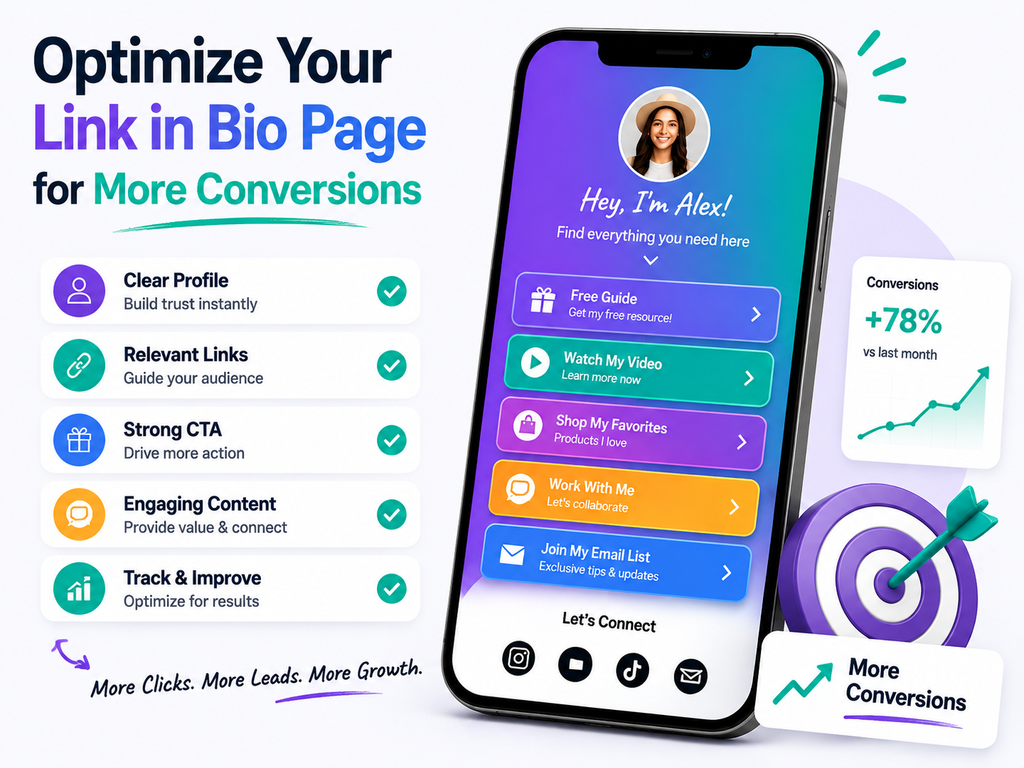
Transforming casual social media visitors into loyal customers starts with optimizing your link in bio analytics. By reviewing the data from your link tracking tool, you can identify which paths lead to the highest engagement and which areas cause friction. This process turns raw numbers into a roadmap for a more effective and user-friendly experience.
Prioritize the Most Important Call to Action
Your primary goal should always occupy the most prominent position on your page. Visitors often scan content quickly, so placing your main offer at the top ensures it receives the most attention. Focusing on a single, clear objective prevents decision fatigue and guides your audience toward the action that matters most to your business.
Organize Links According to Audience Intent
Effective organization helps users find exactly what they need without feeling overwhelmed. By grouping links based on what your audience is trying to achieve, you create a logical flow that encourages deeper exploration.
Placing high-value actions above supporting content
Always position your revenue-driving links, such as product pages or sign-up forms, at the very top. Secondary resources like blog posts or social media channels should follow underneath. This hierarchy ensures that your most valuable conversion opportunities are never buried.
Using concise labels that communicate the benefit of clicking
Avoid generic labels like “Click here” or “Read more.” Instead, use action-oriented language that highlights the specific value for the user. For example, “Get Your Free Guide” or “Shop the Summer Collection” tells the visitor exactly what to expect, which significantly increases click-through rates.
Match Visual Design to Your Brand and Campaign
Consistency is vital for building trust with your audience. Your link in bio page should mirror the aesthetic of your website and social media profiles. When the visual style remains uniform, visitors feel confident that they are in the right place, which reduces bounce rates.
Refresh Links When Offers, launches, or content priorities change
A stagnant page can quickly lose its effectiveness as your business evolves. You should use your link tracking tool to monitor performance and remove any links that no longer serve your current goals. Regularly updating your page ensures that every click leads to a relevant, active destination.
Use Social Proof and Clear Value Statements Without Creating Clutter
Building credibility is essential for converting new visitors. You can incorporate subtle social proof, such as a short testimonial or a “Best Seller” badge, to validate your offers. Keep these elements minimal to ensure the page remains clean, professional, and easy to navigate on mobile devices.
Run Tests That Improve Click and Conversion Performance
You can transform your bio page into a high-performing asset by implementing structured experiments. Instead of relying on intuition or informal design changes, you should use link in bio analytics to guide your optimization strategy. This methodical approach ensures that every adjustment you make is backed by evidence rather than guesswork.
Test One Meaningful Variable at a Time
To understand what truly drives user behavior, you must isolate specific elements during your tests. If you change multiple variables simultaneously, you will struggle to identify which modification caused the shift in performance. By focusing on one change at a time, you gain clear insights into your audience’s preferences.
Compare Button Copy, Link Order, and Call-to-Action Placement
Small adjustments often lead to significant improvements in engagement when guided by link in bio analytics. You should experiment with different button labels to see which verbs trigger more clicks. Additionally, consider reordering your links to prioritize high-intent offers or testing the placement of your primary call-to-action to see if it performs better at the top of the list.
Test Different Destination Pages for the Same Offer
The destination page plays a critical role in your conversion funnel. You might find that sending traffic to a specific campaign page yields better results than directing users to your general website. Testing these variations helps you determine where your audience is most likely to complete a purchase or sign up.
When to use a dedicated landing page instead of a homepage
A dedicated landing page is usually superior when you are promoting a specific product or limited-time offer. Unlike a homepage, which serves many purposes, a landing page focuses entirely on one goal. This reduced friction helps keep visitors on track and increases the likelihood of a successful conversion.
Set a Minimum Data Threshold Before Judging a Test
Avoid making premature decisions based on small sample sizes or random fluctuations. You must establish a minimum data threshold, such as a specific number of clicks or a set time period, before declaring a winner. This practice prevents you from chasing false trends and ensures your link in bio analytics data is statistically reliable.
Document Test Results and Apply Winning Changes
Maintain a formal record of every experiment you conduct to build a knowledge base for your brand. Your documentation should include the initial hypothesis, the specific change implemented, the final results, and the subsequent actions taken. This process allows you to learn from both successes and failures, leading to continuous improvement over time.
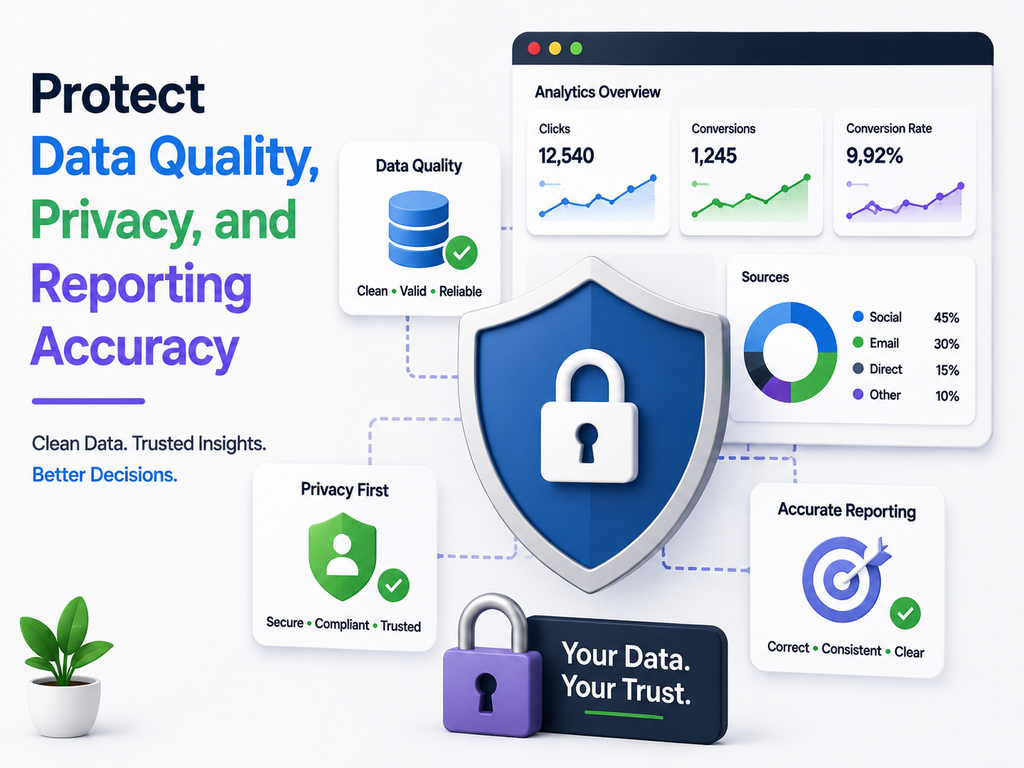
Protect Data Quality, Privacy, and Reporting Accuracy
Trustworthy link in bio analytics reporting starts with a clean data environment and a commitment to user privacy. When you track link clicks, you must ensure the information you collect is free from noise and compliant with modern standards. High-quality data allows you to make confident decisions that drive real growth.
Filter Out Bots, Internal Visits, and Duplicate Activity
Automated traffic from bots can significantly skew your performance metrics. You should implement filters in your analytics dashboard to exclude known bot traffic and your own internal IP addresses. This ensures that your data reflects genuine human interest rather than technical interference.
Duplicate activity also creates false positives in your reporting. By using unique identifiers or session-based tracking, you can prevent a single user from inflating your click counts. Keeping your data clean is the first step toward reliable analysis.
Understand the Limits of Platform-Reported Click Data
Social media platforms often provide basic insights, but these numbers can be misleading. Many platforms count every interaction as a click, even if the user does not fully load your destination page. Relying solely on these built-in tools to track link clicks may lead to an overestimation of your actual traffic.
“Data is a compass, but only if the needle is pointing in the right direction.”
Handle U.S. Privacy Expectations and Consent Requirements Responsibly
Operating in the United States requires a proactive approach to user privacy. You must respect the growing demand for transparency regarding how you handle visitor information.
Disclosing analytics, cookies, pixels, and marketing technologies
Always maintain a clear privacy policy on your website. You should explicitly disclose the use of cookies, tracking pixels, and other marketing technologies that help you monitor user behavior. Transparency builds trust and protects your brand reputation.
Following applicable policies from social platforms and analytics providers
Every platform has specific terms of service regarding data collection. You must stay updated on these policies to ensure your tracking methods remain compliant. Failure to follow these rules can result in restricted access to analytics features or account penalties.
Build a Simple Weekly and Monthly Analytics Report
Consistency is key to understanding long-term trends in link in bio analytics. A structured reporting cadence helps you stay focused on what matters most for your business goals.
Core metrics, notable changes, test results, and next actions
Your reports should be concise and actionable. Include your core metrics, such as total clicks and conversion rates, alongside a summary of notable changes. Document your recent test results and clearly define your next actions to keep your strategy moving forward.
Make Every Click Count
Ready to improve your social media ROI? Use powerful tracking insights to test your CTAs, refine user journeys, and increase meaningful conversions.
Conclusion
Your social media presence serves as a powerful bridge between casual interest and loyal customer behavior. By implementing a robust link tracking tool, you gain the clarity needed to see exactly which paths lead to your most valuable outcomes. This data-driven approach transforms simple clicks into measurable business growth.
Success relies on your ability to set clear goals and maintain consistent attribution across every channel. You must prioritize mobile-friendly experiences and ensure your landing pages deliver on the promises made in your bio. Trustworthy data allows you to refine your strategy with confidence and precision.
Start by reviewing your highest-value links to identify where your audience experiences the most friction. Focus on the largest funnel opportunity to maximize your impact. Apply one measurable improvement at a time to your bio page to see how small adjustments drive significant changes in conversion rates.
Your commitment to structured testing and accurate reporting will distinguish your brand in a crowded digital landscape. Keep iterating based on real user intent to build a sustainable conversion engine. The journey from a social click to a completed sale starts with the insights you gather today.
FAQs
What are the primary benefits of monitoring link in bio analytics?
Using link in bio analytics allows you to move beyond “vanity metrics” like likes or followers to see how your social traffic impacts your bottom line. By analyzing this data, you can track link clicks to understand which calls to action resonate with your audience, identify high-intent behavior, and determine which platforms—whether Instagram, TikTok, or YouTube—are driving the most actual revenue or signups.
How can I effectively track link clicks from different social media campaigns?
To track link clicks accurately, you should implement a consistent naming convention using UTM parameters. By assigning unique source, medium, and campaign tags to your URLs, you can see exactly which specific post or profile link led to a conversion. Utilizing a link tracking tool like Bitly or Rebrandly further simplifies this process by providing shortened, branded links that are easier for users to engage with while capturing deep attribution data.
Why is click volume alone an unreliable measure of success?
High click volume often indicates curiosity rather than purchase intent. A user might click a link because of an intriguing headline but leave immediately if the destination page doesn’t meet their expectations. Link in bio analytics help you distinguish between “window shoppers” and high-value visitors. Sometimes, a lower volume of clicks from a highly targeted LinkedIn post can result in more conversions than a viral TikTok video that lacks a clear business objective.
Which link tracking tool features are most important for business growth?
When evaluating a link tracking tool, look for features like real-time event tracking, customizable UTM parameters, and robust data retention. Platforms like Linktree or Later offer built-in analytics, but for deeper insights, you may want a tool that allows for A/B testing of button copy and provides detailed reports on visitor geography and device type. This ensures you can optimize your mobile landing pages for the best possible user experience.
How do I use Google Analytics 4 to measure my social media ROI?
A: Google Analytics 4 (GA4) is essential for understanding what happens after the click. By directing your bio links to a site equipped with GA4, you can track “engaged sessions” and specific conversion events, such as a Shopify checkout or a Mailchimp newsletter signup. This allows you to calculate Revenue Per Visitor and see the full journey from a social media interaction to a completed transaction.
What should I do if my link in bio analytics show high clicks but low conversions?
This gap usually indicates friction on your landing page. Check your mobile loading speed and ensure your Call to Action (CTA) is clear and specific. If visitors are dropping off, it may be due to a lack of social proof, such as Trustpilot reviews, or an overly complicated checkout process. Use your link tracking tool to test different destination pages—like a dedicated landing page versus your homepage—to see which one converts better.
Are there privacy considerations I should be aware of when tracking links in the U.S.?
Yes, transparency is critical when you track link clicks and collect user data. You must ensure your website has a clear privacy policy that discloses the use of cookies and tracking pixels, such as the Meta Pixel. Following the privacy guidelines set by platforms and staying informed about U.S. consumer privacy expectations will help you build trust with your audience while maintaining accurate link in bio analytics.
How often should I review my link in bio analytics reports?
You should establish a weekly and monthly reporting cadence. Weekly reviews allow you to catch technical issues, like broken redirects, and react to short-term trends. Monthly reports are better for identifying long-term patterns, comparing performance across different social platforms, and documenting the results of your A/B tests to inform your future content strategy.