
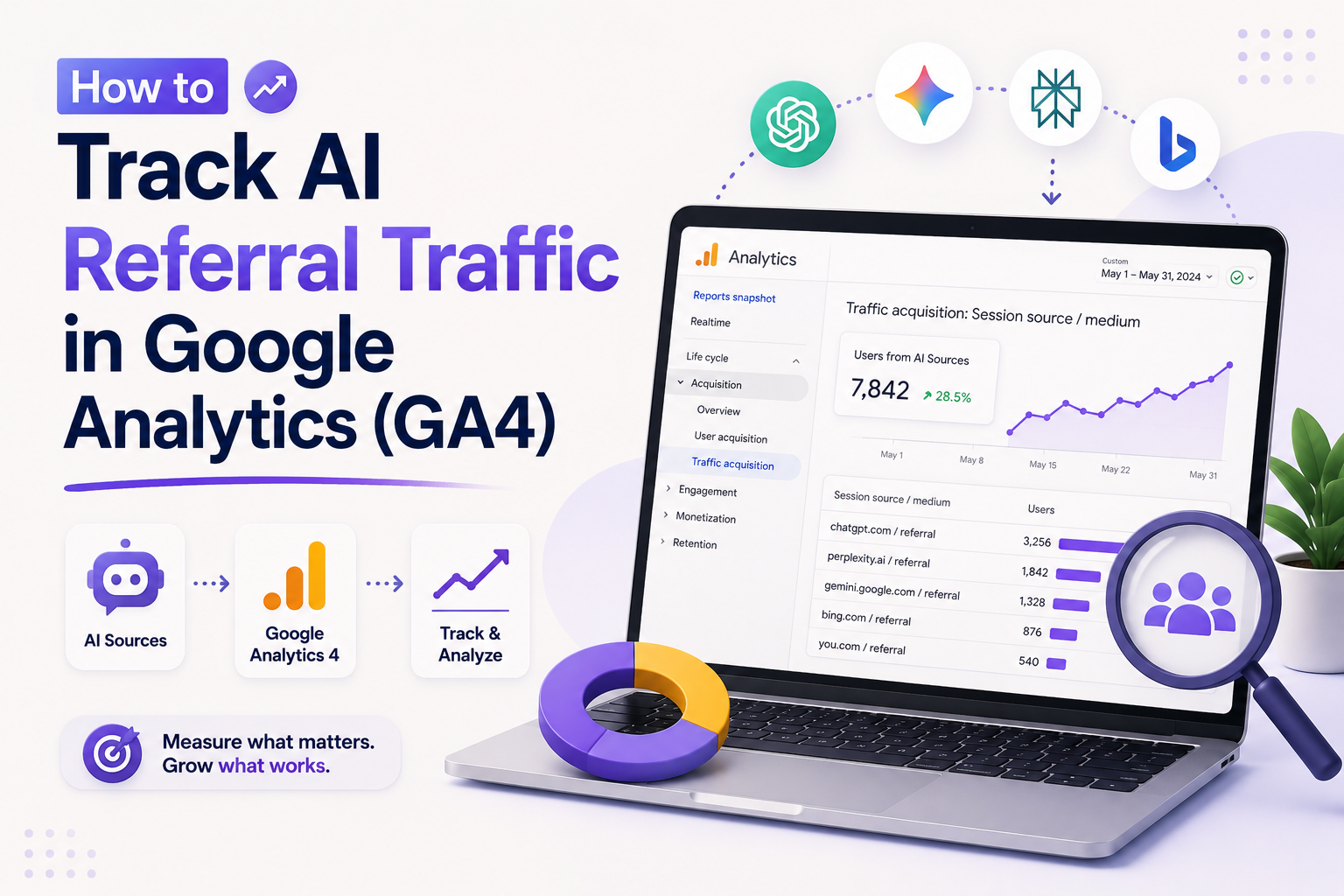
Have you ever wondered if your website visitors are discovering your brand through modern chat interfaces rather than traditional search engines? As users increasingly rely on tools like ChatGPT, Perplexity, Gemini, Microsoft Copilot, and Claude for information, understanding these new pathways is vital for your digital strategy.
You can gain deep insights by mastering specific methods within your dashboard. We will explore acquisition reports, custom channel groups, and advanced Explorations to help you measure this unique behavior. Identifying these sources allows you to optimize your content for the next generation of search. By leveraging UTM parameters and external validation, you ensure your data remains accurate and actionable.
Key Takeaways
- Discover how generative platforms influence your site visits.
- Learn to configure custom channel groups for better data organization.
- Utilize UTM parameters to verify specific campaign performance.
- Master GA4 Explorations to visualize user journeys from chat tools.
- Implement external validation methods to cross-reference your findings.
Master AI Referral Tracking
Turn AI referral data into actionable insights by mastering GA4 reports, custom channels, and Explorations that reveal where valuable visitors originate and convert for growth.
Why AI Referral Traffic Matters in GA4
AI-driven referral traffic is rapidly changing how users discover your website content. As generative AI tools become primary search interfaces, understanding how to track ai referral traffic is no longer optional for data-driven marketers. You must monitor these sources to gain a complete picture of your acquisition performance.
How AI platforms send visitors to your website
AI platforms act as sophisticated intermediaries between your content and the end user. They drive traffic through cited answers, direct links embedded in conversational responses, and curated recommendations.
When a user asks a question, tools like ChatGPT or Perplexity may provide a summary that includes a link to your site. These sessions are highly valuable because they represent users who have already engaged with your brand’s expertise. Learning how to track ai referral traffic allows you to see which specific AI interactions lead to high-quality site visits.
What AI referral traffic can reveal about your content
Analyzing this traffic provides unique insights into how AI models interpret and prioritize your information. You can identify which topics or landing pages are frequently cited as authoritative sources by these platforms.
This data helps you refine your content strategy to better align with the needs of AI-assisted searchers. By observing the patterns in referral data, you can optimize your pages to ensure they remain the preferred choice for AI-generated answers.
Why GA4 may undercount visits from generative AI tools
Despite the importance of this data, GA4 often struggles to capture the full scope of AI-driven visits. Referral information frequently disappears when users move between different browsers, applications, or secure environments.
Privacy settings and complex redirects can strip away the referrer header, causing these visits to appear as “Direct” traffic. Furthermore, when users transition from an AI mobile app to a web browser, the session continuity is often broken. You must implement robust tracking strategies to ensure you do not miss these critical touchpoints in your analytics reports.
How to track AI referral traffic in google analytics
Gaining clear insights into your website performance requires a structured approach to data collection. Learning how to track AI referral traffic in google analytics is essential for modern marketers who want to understand the impact of generative AI on their audience growth.
What you need before starting in Google Analytics 4
Before you dive into complex reports, ensure your GA4 property is configured correctly. You must have administrative access to your account to modify settings and create custom explorations.
Verify that your data streams are active and collecting information from all relevant subdomains. It is also helpful to have a clean list of known AI platforms, such as ChatGPT or Perplexity, to help you categorize incoming traffic effectively.
- Administrator access to your Google Analytics 4 property.
- An active Data Stream capturing web traffic.
- A list of referral domains associated with major AI tools.
- Basic familiarity with the Explorations interface.
Which GA4 dimensions and metrics identify AI visits
To identify AI-driven traffic, you must focus on specific dimensions that reveal where your visitors originate. The Session source and Session medium dimensions are your primary tools for isolating these visits from standard traffic.
You should also monitor the following metrics to gauge the quality of these AI-referred users:
| Metric | Purpose |
|---|---|
| Users | Total count of unique visitors from AI platforms. |
| Engagement Rate | Percentage of sessions that lasted longer than 10 seconds. |
| Conversions | Tracking specific actions taken by AI-referred visitors. |
How referral traffic differs from organic, direct, and paid traffic
Understanding the nuances of traffic classification is vital for accurate reporting. Referral traffic occurs when a user clicks a link on an external site, such as an AI chatbot response, to reach your domain.
In contrast, other channels follow different logic:
- Organic Search: Traffic arriving via search engine results pages.
- Direct: Visitors who type your URL directly into their browser.
- Paid Traffic: Users arriving through sponsored ads or campaigns.
Knowing how to track AI referral traffic in google analytics allows you to distinguish these unique visits from standard referral sources. By keeping these categories separate, you can better evaluate the true value of AI-generated leads versus traditional marketing efforts.
Identify AI Platforms in GA4 Acquisition Reports
Learning how to track ai referral traffic begins with navigating the standard reporting suite within Google Analytics 4. By isolating specific data points, you can gain a clearer picture of how generative AI tools influence your website performance.
Open the Traffic acquisition report
To begin your analysis, navigate to the “Reports” section in your GA4 dashboard. Select “Acquisition” and then click on “Traffic acquisition.” This report provides the most granular view of where your visitors originate.
Review Session source and Session medium
Once the report is open, look for the primary dimension dropdown menu. Change this to “Session source / medium” to see the specific origin of your traffic. This view is essential when you want to understand how to track ai referral traffic effectively.
Search for ChatGPT, Perplexity, Gemini, Microsoft Copilot, and Claude
Use the search bar located directly above the data table to filter for specific AI platforms. Type in names like “ChatGPT,” “Perplexity,” “Gemini,” “Microsoft Copilot,” or “Claude.” If these platforms are sending traffic to your site, they will appear as distinct source entries.
Use Landing page and query string to understand visitor intent
Adding “Landing page” as a secondary dimension helps you see exactly where these AI users land. You should also inspect the query strings in your URLs to identify specific search terms or prompts that led the user to your content. This data reveals the intent behind the visit, helping you tailor your content strategy.
Important referral sources to check
Keep a close watch on the following platforms, as they are currently the most active drivers of AI-generated referral traffic.
| AI Platform | Common Source Name | Primary Medium |
|---|---|---|
| ChatGPT | chatgpt.com | referral |
| Perplexity | perplexity.ai | referral |
| Microsoft Copilot | bing.com | referral |
| Claude | claude.ai | referral |
Why source names may appear differently across platforms
You might notice that traffic from the same AI tool appears under different source names. This happens because some platforms use various subdomains or redirect services that mask the original referrer. Always verify the session medium to ensure you are capturing all relevant data points when you learn how to track ai referral traffic.
Build a GA4 Exploration for AI Referral Traffic
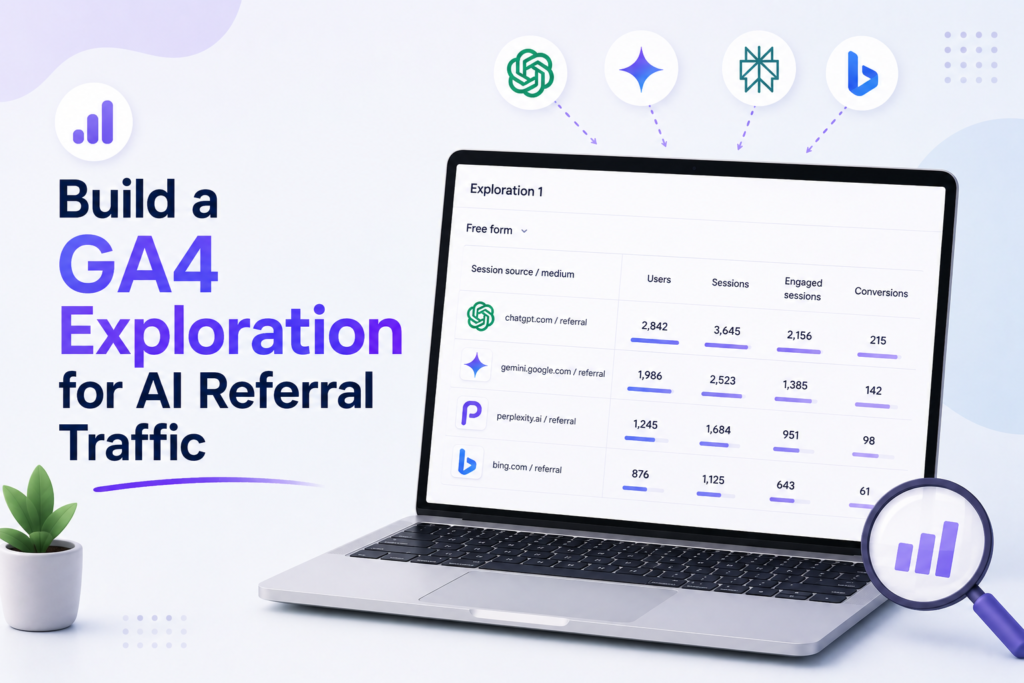
If you want to master how to track AI referral traffic in Google Analytics, you must learn to build custom explorations. Standard reports often hide the nuances of emerging traffic sources, but the Explore module provides the flexibility needed to isolate specific AI platforms. By creating a tailored workspace, you can visualize exactly how users from tools like ChatGPT or Claude interact with your site.
Create a free-form exploration
Start by navigating to the “Explore” tab in your GA4 dashboard. Select the “Free-form” template to open a blank canvas where you can define your own metrics and dimensions. This method is superior to standard reports because it allows for granular data manipulation without affecting your primary reporting views.
Add Session source, Session medium, Landing page, and Device category
To get a complete picture of your traffic, you need to import specific dimensions into your exploration. Drag “Session source,” “Session medium,” “Landing page,” and “Device category” into the dimensions column. These fields allow you to see not just where the traffic originates, but also which pages attract AI users and what devices they prefer.
Apply filters for known AI referral sources
Filtering is essential to ensure your data remains clean and focused. You can create specific rules to isolate traffic coming from major AI platforms, ensuring that your analysis is not diluted by unrelated organic or direct traffic.
Filter source values with matching conditions
Use the filter section to set a condition where “Session source” matches your list of AI platforms. You can use the “contains” or “exactly matches” operator to include sources like “chatgpt.com,” “perplexity.ai,” or “claude.ai.” This ensures that only relevant sessions appear in your report.
Combine multiple AI platforms in one segment
For a broader view, create a segment that groups all your AI platforms together. By using the “OR” logic, you can aggregate data from various tools into a single view. This makes it much easier to compare the collective impact of AI referrals against your other marketing channels.
Compare users, sessions, engagement rate, and conversions
Once your data is filtered, add “Users,” “Sessions,” “Engagement rate,” and “Conversions” to your values column. This setup allows you to evaluate the quality of your AI traffic effectively. Use the following table to understand how these metrics help you assess performance:
| Metric | Purpose |
|---|---|
| Users | Identifies the reach of your AI-driven content. |
| Engagement Rate | Shows if AI users find your content valuable. |
| Conversions | Measures the direct business impact of AI referrals. |
By regularly reviewing these metrics, you can refine your content strategy to better serve users arriving from AI platforms. This data-driven approach ensures you stay ahead of changing search behaviors.
Create a Custom Channel Group for AI Traffic
If you want to master how to track ai referral traffic, building a custom channel group is your next logical step. By default, Google Analytics 4 often lumps diverse traffic sources into broad categories, which can obscure the impact of emerging AI tools. A custom group allows you to isolate these visits for more precise performance analysis.
Open the channel group settings in GA4
To begin, navigate to the Admin section of your GA4 property. Look for the Data display menu and select Channel groups. From here, you can create a new group or edit an existing one to include your specific AI requirements.
Define an AI referral channel with source-based rules
Once you are in the editor, create a new channel specifically for AI. You will need to define rules based on the “Session source” dimension. This ensures that your efforts to learn how to track ai referral traffic remain accurate and automated.
Add referral domains for ChatGPT, Perplexity, Gemini, Microsoft Copilot, and Claude
Configure your rules to include the specific domains associated with major AI platforms. You should add conditions for chatgpt.com, perplexity.ai, gemini.google.com, copilot.microsoft.com, and claude.ai. Using “contains” or “matches regex” logic will help capture variations in referral strings.
Place the AI channel above the default Referral channel
The order of your channel rules is critical because GA4 processes them from top to bottom. You must place your new AI channel above the default Referral channel in the list. This ensures that traffic from these platforms is captured by your custom rule before it gets caught in the generic bucket.
Prevent AI visits from being classified as Unassigned
If your rules are too narrow, you risk seeing a spike in “Unassigned” traffic. Ensure your source definitions are broad enough to catch variations while remaining specific to AI platforms. This keeps your data clean and actionable.
Test channel rules before using the data for reporting
Before finalizing your settings, use the preview or test features to verify your logic. Checking your historical data against these new rules is the best way to confirm how to track ai referral traffic effectively. Always validate that your AI channel is correctly populating before relying on it for executive reporting.
Measure AI Traffic Quality and Conversions
Understanding the true value of your traffic requires looking beyond simple visit counts. While high volume is exciting, you must determine if these visitors are actually contributing to your business goals. Learning how to track ai referral traffic in google analytics allows you to distinguish between casual browsers and high-intent users.
Validate Your AI Traffic
Stop guessing whether AI platforms influence growth. Validate referral traffic with UTM parameters, server logs, surveys, and assisted conversions for clearer attribution and smarter decisions.
Compare AI visitors with other acquisition channels
You should benchmark your AI traffic against established channels like organic search and paid social. This comparison reveals if AI platforms act as a top-of-funnel discovery tool or a direct driver of revenue. By viewing these side-by-side, you can identify which platforms provide the most qualified leads for your specific niche.
Track engaged sessions and engagement rate
Engagement metrics provide a clearer picture of user interest than bounce rates alone. An engaged session is defined as a visit lasting longer than ten seconds, resulting in a conversion, or involving multiple page views. If your AI-referred traffic shows a high engagement rate, it suggests that the content provided by the AI tool is highly relevant to your audience.
Measure conversions from AI-referred users
To understand the bottom-line impact, you must connect traffic sources to specific business outcomes. This is the most critical step when you learn how to track ai referral traffic in google analytics effectively.
Mark important events as conversions in GA4
Ensure that you have configured your key business actions as conversions within the GA4 interface. By marking events like form submissions or checkout completions, you can filter your reports to show only those users who took meaningful action.
Analyze purchases, lead submissions, sign-ups, and downloads
Reviewing specific conversion types helps you see where AI traffic excels. For instance, you might find that AI users are more likely to download whitepapers but less likely to make immediate purchases. This insight allows you to tailor your landing pages to better nurture these specific visitor segments.
Evaluate landing-page performance and assisted outcomes
Do not judge AI traffic solely by last-click attribution, as many users may discover your brand through AI and return later via direct search. Use the Assisted Conversions report to see how AI platforms contribute to the customer journey even when they are not the final touchpoint.
| Metric | AI Referral Traffic | Organic Search | Direct Traffic |
|---|---|---|---|
| Avg. Engagement Rate | 65% | 58% | 42% |
| Conversion Rate | 2.1% | 3.4% | 1.8% |
| Assisted Conversions | High | Medium | Low |
By consistently monitoring these metrics, you gain a comprehensive view of how to track ai referral traffic in google analytics. This data-driven approach ensures your marketing efforts remain focused on high-value interactions rather than vanity metrics.
Use UTM Parameters to Improve AI Campaign Tracking
You can significantly improve your analytics accuracy by implementing a structured UTM strategy for AI-driven content. While default referral data provides a baseline, manual tagging offers the precision needed to understand specific campaign performance. Learning how to track AI referral traffic effectively starts with taking control of your inbound links.
When UTM-tagged links are useful for AI distribution
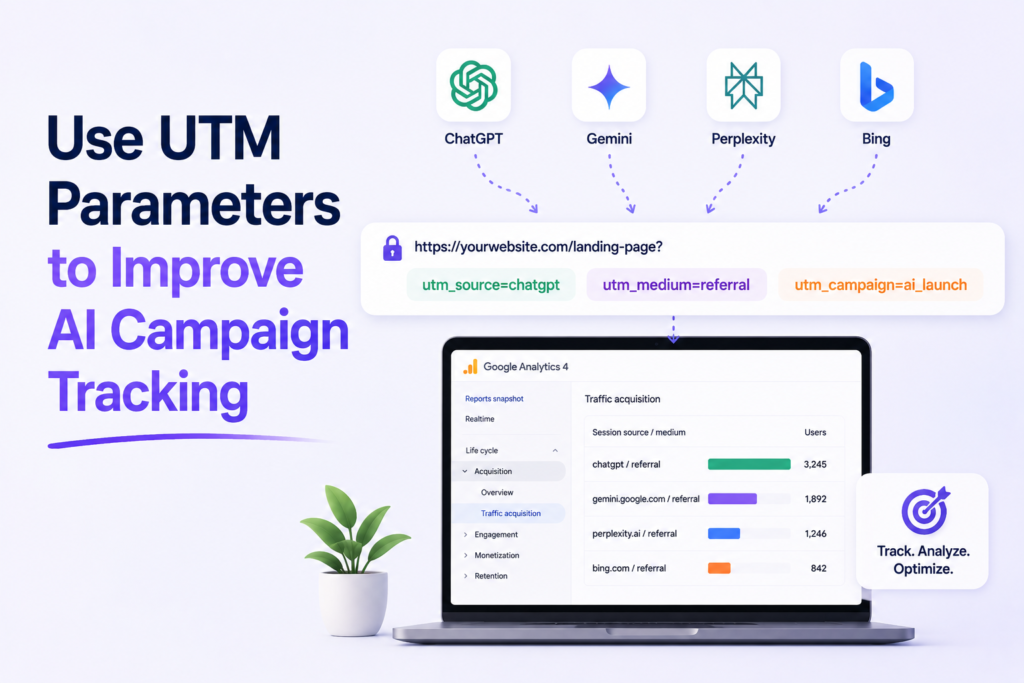
UTM parameters are essential when you control the link placement. This is particularly useful for AI-powered newsletters, sponsored chatbot responses, or direct partnerships with AI platforms. By adding these tags, you ensure that your analytics platform captures the exact origin of the visitor.
Choose consistent source, medium, and campaign values
Consistency is the foundation of clean data. You should establish a standardized format for your source, medium, and campaign fields to avoid fragmented reports. This practice makes it much easier to how to track AI referral traffic across different departments.
Example values for an AI partnership or newsletter placement
For a newsletter placement, use a clear structure like utm_source=ai_newsletter and utm_medium=email. If you are running a paid promotion within a chatbot, consider using utm_source=chatbot_name and utm_medium=cpc. These specific tags help you isolate the performance of each unique placement.
How UTM parameters can overwrite or change attribution
Be aware that UTM parameters will override the default referrer information in your analytics reports. When a user clicks a tagged link, the system prioritizes your custom parameters over the browser’s referral data. This is a powerful tool, but it requires careful planning to avoid losing organic context.
Use a naming convention your entire marketing team can follow
Your team should adopt a shared document that outlines the naming conventions for all AI-related links. This prevents confusion and ensures that everyone uses the same terminology for sources and mediums. A unified approach is the best way to maintain high data integrity.
Separate paid AI promotions from unpaid AI referrals
Distinguishing between paid and organic traffic is vital for calculating your return on investment. By using specific medium tags like “cpc” for paid placements and “referral” for organic mentions, you can easily filter your reports. This separation allows you to see the true value of your paid AI marketing efforts.
| Traffic Type | Source Example | Medium Example | Primary Goal |
|---|---|---|---|
| Paid AI Promotion | sponsored_ai_tool | cpc | Conversion Tracking |
| Organic AI Referral | perplexity_ai | referral | Brand Awareness |
| AI Newsletter | ai_weekly_digest | Engagement Analysis |
Validate AI Referral Data Outside Standard GA4 Reports
Validating your traffic data requires looking beyond the surface-level metrics provided by default dashboards. While GA4 offers powerful insights, you should verify your findings against raw technical data to ensure accuracy. Learning how to track ai referral traffic in google analytics effectively means confirming that your reported numbers align with actual server activity.
Check Realtime reports for recent AI visits
The Realtime report is your first line of defense for immediate verification. By keeping this tab open while testing a specific AI tool, you can observe incoming sessions as they happen. This helps you confirm if your current configuration successfully captures the traffic source in real time.
Compare GA4 data with server logs and CDN analytics
Standard analytics platforms sometimes miss sessions due to script blocking or privacy settings. To get a complete picture of how to track ai referral traffic in google analytics, compare your GA4 reports against your server access logs or CDN analytics like Cloudflare. These logs capture every request made to your server, regardless of whether the user’s browser executed your tracking code.
Inspect the HTTP referrer and landing-page URL
Examining the HTTP referrer header provides the most direct evidence of where a visitor originated. If the referrer is empty or generic, the traffic may appear as “Direct” in your reports. You should also analyze the landing-page URL to see if specific query parameters are being passed by the AI tool.
Why some AI tools remove or obscure referral information
Many generative AI platforms intentionally strip referrer headers to protect user privacy or to prevent tracking. This practice makes it difficult to identify the specific tool that sent the visitor. Consequently, you might see a surge in direct traffic that actually originated from an AI interface.
How redirects, privacy settings, and browser behavior affect attribution
- Redirects: Intermediate tracking links or URL shorteners often wipe the original referrer data.
- Privacy Settings: Browser extensions and strict privacy modes can block tracking scripts entirely.
- Browser Behavior: Some modern browsers prioritize user anonymity by stripping referral information by default.
Use Google Search Console to separate Google AI features from referrals
Google Search Console is an essential tool when you need to understand how to track ai referral traffic in google analytics for Google-owned products. It helps you distinguish between organic search traffic and visits generated by AI-powered features like Search Generative Experience (SGE). By analyzing your performance reports, you can isolate search-based AI activity from external referral sources.
Track AI Traffic When Referrer Data Is Missing
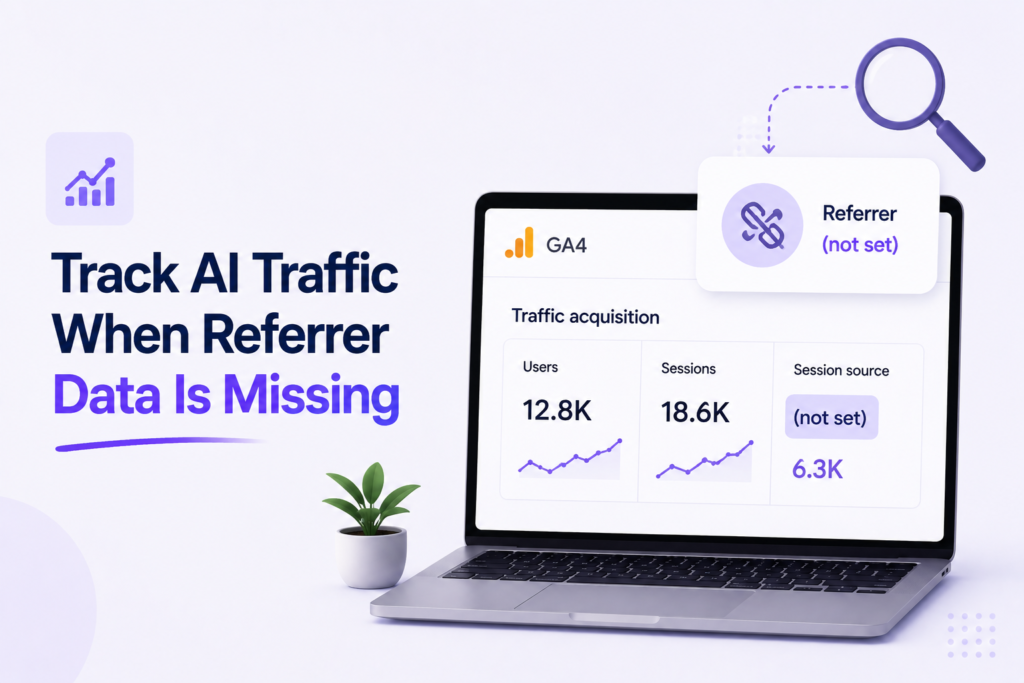
Tracking AI referral traffic becomes significantly more complex when the referrer data is missing. Many generative AI tools strip away HTTP headers, causing visits to appear as “direct” traffic in your reports. You must look beyond standard metrics to uncover these hidden patterns.
Look for direct traffic spikes on AI-relevant landing pages
Monitor your landing pages that are frequently cited by AI models. If a specific page experiences a sudden, sustained increase in direct traffic without a corresponding marketing campaign, it may indicate AI influence. Correlating these spikes with the timing of AI model updates can provide strong circumstantial evidence.
Use first-party surveys to ask visitors how they found you
Direct feedback remains the most reliable way to validate your data. Implement simple, non-intrusive surveys on high-traffic pages to ask users how they discovered your site. Adding an “AI chatbot” or “AI search” option to your survey choices helps bridge the gap where analytics fall short.
Analyze branded and long-tail search demand alongside referral data
AI tools often influence how users search for your brand. Observe if there is a rise in branded search queries that mirrors the growth of your AI-driven traffic. Long-tail search demand often increases when users refine their queries based on information provided by AI platforms.
Compare assisted conversions instead of relying only on last-click attribution
Last-click attribution often ignores the role AI plays in the early stages of the customer journey. By analyzing assisted conversions, you can see if AI-referred users are returning later through other channels. This method provides a more holistic view of your marketing ecosystem.
Why direct traffic cannot be treated as confirmed AI traffic
It is vital to remember that direct traffic is a catch-all category. It includes users who typed your URL, used bookmarks, or arrived via dark social channels. Treating all direct traffic as AI-driven will lead to inaccurate reporting and flawed business decisions.
How to label inferred AI traffic responsibly
When you identify patterns that suggest AI influence, label this data as “inferred” rather than “confirmed.” Use clear documentation to explain your methodology to stakeholders. Transparency ensures that your team understands the limitations of the data when making strategic adjustments.
| Method | Reliability | Primary Use |
|---|---|---|
| Direct Spikes | Low | Identifying anomalies |
| First-party Surveys | High | Direct validation |
| Assisted Conversions | Medium | Journey mapping |
Common GA4 Tracking Problems and Practical Fixes
Accurate measurement of AI traffic is not always straightforward, but you can resolve most tracking issues with a few practical adjustments. Learning how to track ai referral traffic in google analytics effectively requires you to anticipate common data discrepancies that often arise with emerging technology platforms.
AI visits appearing under Referral or Unassigned
Sometimes, traffic from AI tools is misclassified because GA4 does not recognize the specific source. If your data shows up as generic referral or unassigned, you should verify your custom channel group definitions. Updating your channel rules to explicitly include known AI domains ensures these visits are categorized correctly.
Source and medium values changing after redirects
Redirects can often strip away the original referral information, leaving you with incomplete data. To maintain visibility, you must implement consistent UTM parameters on all links shared through AI interfaces. This strategy is the most reliable way to ensure you know how to track ai referral traffic in google analytics regardless of intermediate redirects.
Low-volume data creating misleading conclusions
When dealing with small sample sizes, individual fluctuations can look like major trends. You should avoid making drastic marketing changes based on a few days of low-volume data. Instead, aggregate your reports over a longer period to identify genuine patterns in user behavior.
Self-referrals caused by missing or incorrect cross-domain measurement
Self-referrals occur when a user moves between your subdomains and GA4 treats the transition as a new visit. You can fix this by adding all your relevant domains to the cross-domain measurement list in your data stream settings. This ensures that sessions remain continuous as users navigate your site.
Consent settings and privacy controls reducing observable traffic
Strict privacy regulations and browser-level tracking prevention can limit the data you collect. While you cannot bypass these controls, you can use Google’s consent mode to fill in the gaps with modeled data. This approach helps you maintain a clearer picture of your audience while respecting user privacy preferences when you learn how to track ai referral traffic in google analytics.
Build Smarter AI Measurement
Build a reliable AI traffic measurement system that separates confirmed referrals from inferred visits, compares conversion quality, and helps your team optimize content confidently today.
Conclusion
Gaining clarity on your website visitors requires a proactive approach to data management. You now possess the tools to monitor how to track ai referral traffic effectively by combining GA4 acquisition reports with custom channel groups and Explorations.
Platforms like ChatGPT, Perplexity, Gemini, Microsoft Copilot, and Claude often present unique challenges. These tools may not transmit consistent referral data, which makes your role in validating traffic through server logs and UTM parameters vital. You should view these visits as a distinct segment of your audience rather than standard organic search.
Your strategy for how to track ai referral traffic should focus on comparing engagement rates and conversion outcomes against other channels. Labeling inferred AI traffic allows you to see the true impact of generative models on your brand. Start applying these measurement techniques today to better understand your evolving digital landscape.
FAQs
How to track AI referral traffic in Google Analytics 4 most effectively?
To accurately perform how to track AI referral traffic in Google Analytics, you should navigate to the Traffic acquisition report and filter by Session source. Look specifically for domains associated with major generative platforms, such as chat.openai.com (ChatGPT), perplexity.ai, gemini.google.com, and claude.ai. For a more permanent solution, creating a Custom Channel Group in GA4 allows you to bucket these specific sources into a dedicated “AI Referrals” category for cleaner reporting.
Why is my AI traffic appearing as Direct or Unassigned in GA4?
This is a common issue when learning how to track AI referral traffic. Referral headers can be lost due to privacy settings, users transitioning from a mobile app to a web browser, or redirects that strip the source information. If the HTTP referrer is missing, Google Analytics 4 defaults to Direct. To investigate this, look for unusual spikes in direct traffic to deep landing pages that are frequently cited by Microsoft Copilot or ChatGPT.
How can I distinguish between different AI platforms like ChatGPT, Gemini, and Claude?
You can distinguish between these platforms by using the Session source/medium dimension in your GA4 Acquisition reports. Each platform typically passes a unique identifier; for example, ChatGPT often appears as openai.com, while Gemini may appear as google.com or gemini.google.com. Building a Free-form Exploration allows you to compare users, sessions, and engagement rate across these specific AI sources side-by-side.
What metrics should I use to evaluate the quality of AI referral traffic?
Beyond simple session counts, you should focus on Engagement rate, Average session duration, and Key Events (Conversions). Because users coming from Perplexity or Claude are often seeking specific information, they may have higher intent. Track whether these visitors complete high-value actions such as newsletter sign-ups, lead submissions, or product purchases to determine the true ROI of your AI visibility.
Can UTM parameters help in how to track AI referral traffic?
Yes, UTM parameters are incredibly useful if you are managing intentional placements, such as links in AI-curated newsletters or brand partnerships with platforms like Perplexity. By appending utm_source=ai_platform and utm_medium=referral to your URLs, you ensure that Google Analytics 4 categorizes the traffic correctly, even if the standard browser referrer data is obscured.
How does AI referral traffic differ from Organic Search traffic in GA4?
A: Organic Search traffic traditionally refers to users clicking on links within a standard search engine results page (SERP) like Google or Bing. In contrast, AI referral traffic originates from conversational responses where a chatbot, such as Microsoft Copilot, provides a link as a citation for its answer. While both are “earned” traffic, AI referrals often result from more complex, long-tail queries than traditional search.
Is there a way to see AI traffic in real-time?
You can use the Realtime report in GA4 to monitor immediate hits from AI platforms. By adding a filter for Source, you can watch for incoming sessions from openai.com or claude.ai as they happen. This is particularly useful for validating that your tracking configurations or custom channel rules are working correctly after a new content piece begins trending in AI responses.
How can Google Search Console complement my AI tracking in GA4?
A: Google Search Console is vital for identifying traffic coming from Google AI Overviews (formerly SGE). While GA4 is the primary tool for how to track AI referral traffic from external tools like ChatGPT, Search Console provides the specific search queries that triggered AI-generated summaries on Google, helping you understand the “top-of-funnel” intent before the user ever clicks through to your site.
2 thoughts on “How to Track AI Referral Traffic in Google Analytics (GA4)”