
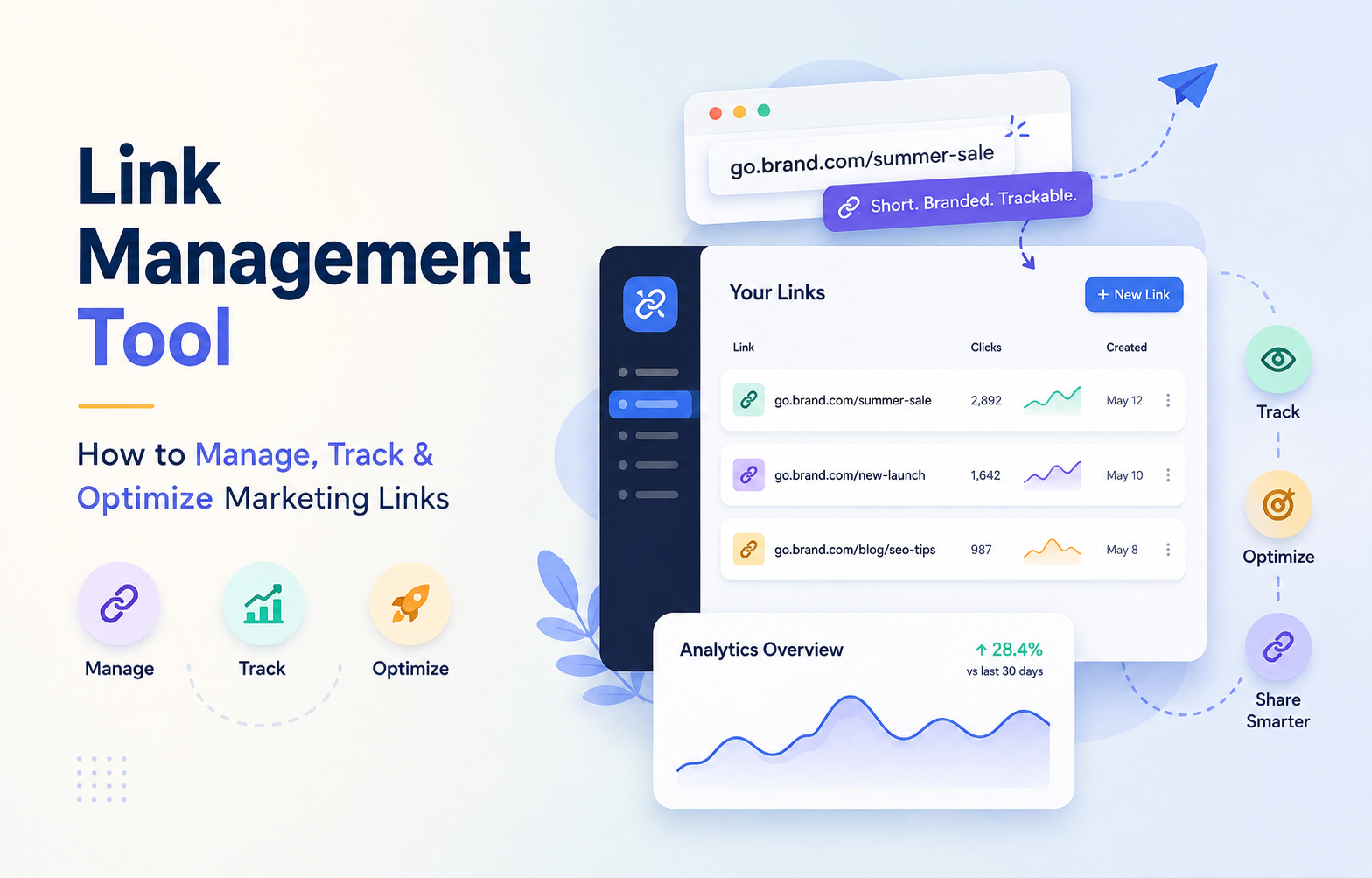
Have you ever wondered how much potential revenue you lose when your digital campaigns lack clear data? In the fast-paced world of American digital marketing, keeping your URLs organized is the difference between guessing and growing.
A professional link management tool acts as your central command center. It allows you to create, organize, and refine every destination URL from one intuitive dashboard.
By utilizing a robust link tracking tool, you gain immediate visibility into audience behavior. This clarity helps you pivot your strategy in real-time, ensuring your efforts lead to stronger results and higher conversion rates.
Key Takeaways
- Centralize your digital assets to maintain brand consistency across all channels.
- Use advanced analytics to monitor performance and identify high-performing content.
- Optimize your URLs to improve click-through rates and user engagement.
- Streamline your workflow by organizing complex campaigns in a single interface.
- Make data-driven decisions that directly impact your bottom line and campaign success.
Build a Smarter Link System
Centralize your marketing links, standardize tracking, and keep every campaign organized from one place. Turn scattered URLs into a reliable, scalable marketing system.
Why Your Marketing Strategy Needs Centralized Link Management
Managing your marketing links without a central system is like trying to navigate a city without a map. When you lack a unified approach, your digital assets quickly become disorganized, leading to missed opportunities and wasted effort. Implementing a professional link management tool is the first step toward gaining full visibility into your marketing performance.
How scattered links create campaign and reporting problems
When team members create links in isolation, they often use inconsistent naming conventions or missing tracking parameters. This fragmentation makes it nearly impossible to aggregate data across different channels. You might find that your social media team uses one format while your email marketers use another, creating a disjointed view of your traffic.
Disconnected ownership records further complicate the situation. Without a clear system, nobody knows who created a specific link or what its intended destination was. This lack of accountability leads to broken redirects and outdated landing pages that frustrate your audience and damage your brand reputation.
What a link management tool helps you control
A robust link management tool acts as a single source of truth for your entire organization. It allows you to enforce standardized UTM parameters, ensuring that every click is tracked accurately regardless of the source. By centralizing your assets, you gain the ability to update destination URLs in real-time without breaking existing links.
This level of control clarifies responsibilities across your team. You can assign specific owners to campaigns, track expiration dates, and maintain a clean inventory of all active URLs. This reduces operational confusion and ensures that your marketing efforts remain aligned with your broader business goals.
How organized links improve collaboration and decision-making
When your data is clean and accessible, your team can move faster and make smarter choices. Organized links provide the foundation for reliable reporting, allowing you to see exactly which campaigns drive the most value. Instead of spending hours cleaning up spreadsheets, you can focus on analyzing trends and optimizing your strategy.
Better data leads to faster marketing decisions. When stakeholders can trust the numbers, they are more likely to support your initiatives and invest in high-performing channels. The following table highlights the key differences between manual tracking and using a dedicated system.
| Feature | Manual Tracking | Centralized Link Management Tool |
|---|---|---|
| Data Accuracy | Low (High human error) | High (Automated standards) |
| Collaboration | Siloed and difficult | Seamless and transparent |
| Efficiency | Time-consuming | Fast and scalable |
| Reporting | Fragmented insights | Unified performance metrics |
What to Look for in a Link Management Tool
Selecting the right platform for your digital assets requires a clear understanding of your team’s operational needs. A robust link management tool acts as the backbone of your marketing infrastructure, ensuring that every click is tracked and every campaign is measurable.
Link organization with folders, tags, naming rules, and search
Effective organization prevents your dashboard from becoming a digital graveyard. Look for platforms that offer hierarchical folder structures and flexible tagging systems to categorize links by campaign, channel, or region.
Standardized naming conventions are equally vital for maintaining order. Ensure the software allows you to enforce specific naming rules so that your team can find any asset instantly using a powerful search function.
Custom branded URLs and editable destination links
Your links serve as an extension of your brand identity. A high-quality link management tool should allow you to use custom domains, which builds trust with your audience and increases click-through rates.
Furthermore, the ability to edit destination URLs is a critical safety net. If a landing page changes or a typo is discovered, you can update the redirect instantly without breaking your existing marketing collateral.
UTM parameters, campaign settings, and attribution controls
Accurate data collection depends on consistent tracking parameters. Choose a solution that automates the addition of UTM source, medium, and campaign tags to every link you generate.
Advanced attribution controls allow you to map link activity directly to your revenue goals. This ensures that your analytics dashboard reflects the true impact of your marketing efforts across all touchpoints.
Access permissions, approvals, and team workflows
Collaboration is essential for scaling marketing operations, but it requires strict governance. You need a system that offers granular access permissions to control who can create, edit, or delete links.
Approval workflows help prevent errors by requiring a manager to review new links before they go live. This feature is particularly useful for large teams managing multiple regional campaigns simultaneously.
When you need link shortening, redirect management, or both
Deciding between simple shortening and complex redirect management depends on your specific goals. If you primarily need clean, shareable links for social media, a basic shortening service might suffice.
However, if you manage complex migrations or multi-channel campaigns, you need robust redirect management. This ensures that users are always sent to the correct, active page regardless of technical changes on your website.
How integrations support your existing marketing stack
Your chosen tool should not exist in a vacuum. Seamless integration with your CRM, email marketing platform, and analytics software is essential for a unified workflow.
By connecting your links to your existing stack, you can automate reporting and trigger actions based on user behavior. This level of connectivity turns a simple link into a powerful data-driven asset.
How to Build a Reliable Link Management System
Stop relying on individual team habits and start building a repeatable, data-driven link infrastructure today. A professional link management tool serves as the foundation for your digital strategy, ensuring that every URL you publish contributes to clean, actionable data. By shifting from manual, fragmented processes to a centralized system, you gain full visibility into your marketing performance.
Define campaign categories and ownership rules
Success begins with clear governance. You must establish who is responsible for creating links and how those links are categorized within your organization. Assigning specific owners to campaigns prevents the “too many cooks” scenario that often leads to broken tracking.
- Departmental Ownership: Assign specific prefixes to teams like Sales, Content, or Paid Media.
- Campaign Categorization: Group links by objective, such as lead generation, brand awareness, or product launches.
- Approval Workflows: Require a secondary review for high-traffic links to ensure accuracy.
Create a consistent URL naming convention
Inconsistent naming is the primary cause of messy analytics. Your team should follow a strict structure that makes every link identifiable at a glance. When you use a link management tool to enforce these rules, you eliminate the guesswork for your data analysts.
Consider a structure that includes the channel, the content type, and the date. This ensures that even years later, you can trace the origin of a specific link without digging through spreadsheets.
Standardize UTM source, medium, campaign, and content values
Standardization is the secret to reliable reporting. If one team uses “email” while another uses “newsletter,” your data will be fragmented and difficult to compare. You should create a master list of approved UTM values that every team member must use.
| Parameter | Purpose | Example Value |
|---|---|---|
| Source | The origin of traffic | linkedin, newsletter, google |
| Medium | The marketing channel | cpc, organic, social |
| Campaign | The specific initiative | summer_sale_2024 |
Separate evergreen links from time-sensitive campaign links
Not all links are created equal. Evergreen content, such as your homepage or core service pages, requires a different management strategy than short-term promotional links. Keep your permanent assets in a dedicated folder to avoid accidental deletion or modification.
Examples of naming conventions for paid, organic, email, and social campaigns
Consistency across channels allows for better cross-platform analysis. Use these patterns to keep your data clean:
- Paid: [Channel]_[Campaign]_[AdSet] (e.g., fb_summer_retargeting)
- Organic: [Channel]_[ContentID] (e.g., blog_seo_guide_2024)
- Email: [Date]_[NewsletterName] (e.g., 2024-05-12_weekly_digest)
- Social: [Platform]_[PostType] (e.g., twitter_thread_launch)
How to prevent duplicate links and inconsistent tracking data
Duplicate links often occur when multiple team members create URLs for the same destination without checking existing records. A robust link management tool helps you prevent this by flagging existing URLs that point to the same destination. Always perform a quick search before generating a new link to ensure you are not creating redundant tracking entries.
How to Create, Organize, and Maintain Marketing Links
You can transform your marketing efficiency by implementing a structured system for managing every link you publish. A professional link management tool acts as the central nervous system for your digital campaigns, ensuring that every URL serves a clear purpose and remains easy to track over time.
Build links for websites, landing pages, email, and social media
Consistency is the foundation of high-performing campaigns. When you generate links for different channels, you must ensure that each one follows a standardized format that includes necessary tracking parameters. By creating a unified process, you prevent data silos and ensure that your analytics reflect the true performance of your content across all platforms.
Use branded short links without hiding campaign context
Branded links build trust with your audience while maintaining the professional identity of your business. You should choose custom domains that reflect your brand, but never sacrifice clarity for brevity. Always include descriptive slugs that hint at the campaign content, allowing your team to identify the link’s purpose at a glance.
Assign tags and folders for fast retrieval
Organizing your assets into logical folders and applying relevant tags is essential for long-term scalability. This method allows you to group links by department, campaign type, or geographic region. Using a robust link management tool, you can filter through thousands of URLs in seconds, saving your team valuable time during reporting cycles.
Record destination pages, owners, dates, and campaign objectives
Documentation is the secret to maintaining a clean and effective link library. Every time you create a new link, record the final destination URL, the person responsible for the campaign, and the specific business goal. This metadata provides the context needed to understand why a link was created and whether it is still serving its intended purpose.
How to manage links for seasonal promotions and recurring campaigns
Seasonal promotions often require a high volume of links that expire after a specific date. You should establish a naming convention that includes the year and the promotion name to keep these assets distinct from your evergreen content. Archiving these links once the promotion ends helps keep your active dashboard clutter-free.
How to update destinations without replacing published links
One of the greatest advantages of a modern system is the ability to change the destination URL without breaking the original link. This feature is invaluable for social media posts or printed materials where you cannot edit the published URL. By updating the destination in your dashboard, you ensure that your audience always lands on the most current page.
Audit links regularly for expiration, duplication, and incorrect redirects
Maintenance is a continuous process that prevents technical errors from hurting your conversion rates. You should perform a monthly audit to identify broken links, remove duplicate entries, and verify that all redirects are functioning correctly. Regular maintenance ensures that your link management tool remains a reliable source of truth for your entire marketing organization.
How to Track Link Performance and Campaign Results
Transforming raw link data into actionable business intelligence requires more than just counting clicks. A professional link tracking tool allows you to see exactly how your audience engages with your content across every digital touchpoint.
Turn Clicks Into Insights
Track clicks, visitors, devices, referrers, and conversions with greater clarity. Use actionable link data to optimize campaigns, improve performance, and drive smarter decisions.
Measure clicks, unique visitors, referrers, devices, and locations
To gain a complete picture of your campaign reach, you must look beyond basic volume. A high-quality link management tool captures granular data, including the specific device types and geographic locations of your visitors.
By identifying your top referrers, you can determine which platforms drive the most qualified traffic to your site. This level of detail helps you allocate your budget toward the channels that actually deliver results.
Connect link activity with Google Analytics 4 and conversion data
Connecting your link activity to Google Analytics 4 is a critical step for modern marketers. This integration ensures that every click is mapped to specific user behaviors and downstream outcomes.
When you sync your data, you gain the ability to track the entire customer journey from the initial click to the final purchase. This data-driven approach removes the guesswork from your marketing strategy.
Compare performance across channels, audiences, and campaigns
Comparing performance metrics allows you to identify which messaging resonates best with your target segments. You can easily contrast how different audiences interact with your links across social media, email, and paid search.
How to distinguish clicks from meaningful conversions
It is vital to separate vanity metrics from actual business growth. While a high click-through rate is positive, it only matters if those clicks lead to meaningful conversions like sign-ups or sales.
Use your tracking data to filter out accidental clicks or bot traffic. This ensures your performance reports reflect genuine interest and intent.
How to interpret spikes, drops, and unusual traffic patterns
Sudden changes in traffic often signal either a successful viral moment or a technical issue. By monitoring your links in real-time, you can quickly identify if a spike is due to a successful influencer post or a broken redirect.
Consistent monitoring helps you maintain a healthy digital ecosystem. You can proactively address drops in traffic before they impact your bottom line.
Build reports that are useful for marketers and stakeholders
Effective reporting translates complex data into a clear narrative for your team and leadership. A good link management tool simplifies this by providing customizable dashboards that highlight key performance indicators.
Focus your reports on the metrics that matter most to your stakeholders, such as return on ad spend and conversion rates. Clear, concise reporting builds trust and supports better decision-making for future campaigns.
How to Use Link Analytics to Optimize Campaigns
Transforming raw click data into a winning marketing strategy requires more than just observation. By utilizing a professional link analysis tool, you can move beyond simple reporting to make data-driven decisions that directly impact your bottom line.
Identify high-performing links and repeatable campaign patterns
Successful marketing often relies on identifying what works and scaling those efforts. When you track your links, you can spot trends in which headlines, offers, or visual styles drive the most engagement.
- Look for consistent spikes in traffic tied to specific content types.
- Compare seasonal performance to predict future audience needs.
- Identify which channels consistently deliver high-intent visitors.
Improve calls to action, landing pages, and channel placement
Your data reveals exactly where users drop off or engage most deeply. If a link receives high clicks but low conversions, the issue likely lies with the destination page or the call to action (CTA).
Use your link management tool to experiment with different landing page layouts. You might find that moving your CTA above the fold or changing the button color significantly improves your conversion rate.

Test destinations, messaging, and campaign variations
Optimization is an ongoing process of refinement. By testing different variables, you can ensure your messaging resonates with your target audience.
When to use A/B testing for links and landing pages
A/B testing is most effective when you have a clear hypothesis. Use it when you want to compare two distinct versions of a message or destination to see which drives better results.
“Testing is the bridge between guessing what your audience wants and knowing exactly how to serve them.”
How to avoid drawing conclusions from low-volume data
It is tempting to make changes based on a few clicks, but this often leads to false positives. Always wait for a statistically significant sample size before declaring a winner in your tests.
| Metric | Low Volume Risk | High Volume Benefit |
|---|---|---|
| Click-Through Rate | High volatility | Stable trends |
| Conversion Rate | Unreliable data | Actionable insights |
| Audience Segment | Too narrow | Clear patterns |
Use audience and device insights to refine targeting
Understanding how your audience interacts with your links across different devices is crucial. If your data shows that mobile users are clicking but not converting, your mobile landing page may need optimization.
Segmenting your audience by location or device allows you to tailor your messaging. This level of precision ensures that your marketing budget is spent on the most effective channels.
Turn link analysis into specific optimization decisions
Ultimately, the goal is to translate numbers into action. Whether it is reallocating your budget to a high-performing channel or rewriting a landing page headline, every decision should be backed by your link data.
By consistently reviewing your performance, you create a cycle of continuous improvement. This approach keeps your campaigns fresh, relevant, and highly effective over the long term.
How Link Management Supports Link Building and SEO Workflows
While many marketers confuse link management with SEO outreach, these processes serve distinct roles in your growth strategy. A link management tool focuses on the technical control of your URLs, whereas other platforms handle the human side of relationship building. Understanding these differences ensures you use the right technology for every stage of your SEO lifecycle.
How a link management tool differs from link building software
A link management tool is designed to organize, shorten, and track the performance of your active links across various channels. In contrast, link building software is built specifically for prospecting, email outreach, and managing relationships with publishers. While the former handles the technical delivery of traffic, the latter focuses on the acquisition of new backlinks.
Track outreach prospects, placements, and published backlinks
Effective SEO requires you to monitor where your links live and how they perform once published. You should maintain a clear record of your outreach prospects to avoid duplicate efforts and ensure consistent communication. By tracking your placements, you can quickly identify which partners provide the most value to your domain authority.
Manage link building campaigns, contacts, statuses, and follow-ups
Organizing your outreach efforts prevents missed opportunities and keeps your team aligned. You need a centralized system to track the status of every contact, from initial outreach to final publication.
How to use a link building management tool for team accountability
A dedicated link building management tool helps you assign specific tasks to team members, ensuring no follow-up is ignored. By setting clear ownership rules, you create transparency and accountability within your SEO department. This structure prevents the common mistake of multiple team members contacting the same prospect.
Which backlink details to record for future analysis
To maximize your SEO impact, you must document specific attributes for every backlink you secure. Always record the target URL, the anchor text used, the publication date, and the domain authority of the referring site. Keeping these details in a structured format allows you to perform deeper audits later.
Combine link tracking with an SEO link analysis tool
Integrating your link tracking data with an link analysis tool provides a complete view of your site’s health. While your management system tracks clicks and traffic, your analysis software monitors crawl errors and backlink quality. Combining these insights helps you identify which links are driving real engagement versus those that might be toxic.
Protect SEO value when changing destinations or redirects
Changing a destination URL can be risky if not handled with precision. Always use your management system to implement 301 redirects, which preserve the link equity passed to your pages. This practice ensures that your hard-earned backlinks continue to support your search rankings even when your site structure evolves.
| Tool Category | Primary Function | Key Benefit |
|---|---|---|
| Link Management Tool | URL Control & Tracking | Traffic visibility |
| Link Building Software | Outreach & Prospecting | Relationship growth |
| Link Analysis Tool | SEO Auditing | Backlink health |
Common Link Management Mistakes and How to Prevent Them
Poor link management can silently drain your marketing budget and obscure your true campaign performance. When processes fail, your tracking accuracy suffers, leading to unreliable data and wasted effort. By identifying these common pitfalls, you can build a more dependable system for your digital assets.

Using inconsistent UTM parameters across teams and platforms
Inconsistent naming conventions are the primary cause of fragmented analytics. If one team uses “social” while another uses “social-media,” your reporting tools will treat them as separate sources. Standardizing your UTM values is essential to ensure that every click is categorized correctly across your entire organization.
Shortening links without documenting their destinations
Shortened URLs are convenient, but they often become “black boxes” if you fail to track where they lead. Without a central registry, you may lose track of which campaigns are active or where specific traffic is being directed. Always maintain a clear record of the final destination for every link you create.
Allowing broken, expired, or redirected links to remain active
Dead links provide a poor user experience and damage your brand reputation. When a campaign ends, failing to update or retire the associated links can lead users to 404 error pages. Regularly auditing your links ensures that your audience always reaches the intended content.
Relying on click counts without conversion or revenue context
Click volume is a vanity metric if it does not correlate with business goals. A robust link management tool helps you bridge the gap between simple traffic numbers and actual revenue. You must connect your link activity to conversion data to understand the true return on your marketing investment.
Giving unrestricted access to link creation and editing
When every team member has full control, errors become inevitable. Whether you are using a general link management tool or specialized link building software, you need clear governance. A dedicated link building management tool can help you control who creates links and who can modify existing destinations.
Set up audits, permissions, naming standards, and review schedules
To prevent these issues, you should implement a structured workflow that prioritizes data integrity. Consider the following steps to improve your operations:
- Define strict naming standards for all UTM parameters to ensure consistency.
- Assign role-based permissions to limit who can create or edit critical campaign links.
- Schedule regular audits to identify and fix broken or outdated redirects.
- Establish a review process for all new link requests to ensure they meet your documentation requirements.
Take Control of Your Links
Stop managing links through scattered spreadsheets and manual processes. Organize destinations, maintain consistent UTM tracking, and keep your campaigns accurate, accessible, and efficient.
Conclusion
Your marketing success depends on the precision of your data and the clarity of your strategy. A robust link management tool acts as the backbone for your digital campaigns by centralizing every URL you distribute. You gain full control over your brand identity while ensuring every click provides actionable intelligence.
Adopting a professional link management tool transforms how your team interacts with campaign assets. You move away from chaotic spreadsheets and toward a streamlined workflow that prioritizes accuracy. This shift allows you to focus on creative strategy rather than troubleshooting broken redirects or missing tracking parameters.
Commit to consistent naming conventions and structured ownership rules to keep your data clean. Regular audits of your links prevent technical debt and protect your SEO rankings across platforms like Google or LinkedIn. You should treat every URL as a valuable asset that requires careful maintenance and oversight.
Evidence-based optimization becomes your new standard when you rely on accurate performance metrics. Use these insights to refine your messaging and improve your conversion rates across all channels. Start implementing these practices today to build a scalable foundation for your future marketing growth.
FAQs
What is the primary benefit of using a link management tool for my marketing team?
A link management tool provides a centralized system to create, organize, and monitor every URL in your marketing stack. Instead of relying on disconnected spreadsheets or individual notes, tools like Bitly or Rebrandly allow your team to maintain a single source of truth, ensuring that your campaign data is consistent, your brand remains professional with custom URLs, and your redirects are always functional.
How does a link tracking tool differ from standard website analytics?
While platforms like Google Analytics 4 track overall site behavior, a specialized link tracking tool focuses on the specific performance of individual URLs across different channels. It allows you to see real-time click data, geographic locations, and device types specifically for the links you share on LinkedIn, X, or in Mailchimp newsletters, providing a more granular view of how your off-site promotions are performing.
Can a link building management tool help with my SEO outreach?
Yes. A link building management tool is specifically designed to handle the workflows associated with acquiring backlinks. Unlike general link management, these tools help you track outreach prospects, manage contact history, and monitor the status of earned placements. Using a system like BuzzStream or Pitchbox ensures your SEO team stays accountable and organized during complex guest posting or resource link campaigns.
What should I look for in a professional link analysis tool?
When evaluating a link analysis tool, you should prioritize features that allow you to compare performance across different channels and timeframes. Look for deep integration with Google Analytics 4, the ability to filter data by UTM parameters, and clear visualizations that distinguish between raw clicks and meaningful conversions. This data is essential for identifying which campaigns are driving revenue rather than just vanity traffic.
How is link building software different from general link management?
A: Link building software, such as Ahrefs or Semrush, is focused on the competitive landscape of SEO, helping you find backlink opportunities and analyze the authority of referring domains. In contrast, a link management tool is used to control the URLs your own brand generates and distributes. While both are essential for a digital strategy, one focuses on external growth (SEO) while the other focuses on internal organization and campaign attribution.
Why is it important to standardize UTM parameters in my link management system?
Standardizing UTM source, medium, and campaign values prevents your reporting from becoming fragmented. If one team member uses “social-media” and another uses “SocialMedia,” your link analysis tool will treat them as separate channels. Creating a strict naming convention within your link management tool ensures that your data remains clean and your Looker Studio dashboards provide an accurate reflection of your multi-channel performance.
Can I update the destination of a link after it has already been published?
Yes, if you are using a professional link management tool. One of the most significant advantages is the ability to edit the destination URL of a branded short link without changing the link itself. This is a lifesaver if you discover a typo on a landing page or need to redirect traffic from an expired seasonal promotion to a new evergreen offer in your Instagram bio or YouTube video descriptions.
How do I prevent duplicate links and inconsistent tracking data?
To maintain a reliable system, you should implement access permissions and approval workflows within your link management tool. By restricting who can create and edit links, and by using automated UTM builders, you can ensure that every URL follows your organization’s specific naming rules. Regular audits are also recommended to identify and retire broken or redundant redirects that could confuse your audience or skew your data.
1 thought on “Link Management Tool: How to Manage, Track & Optimize Marketing Links”