
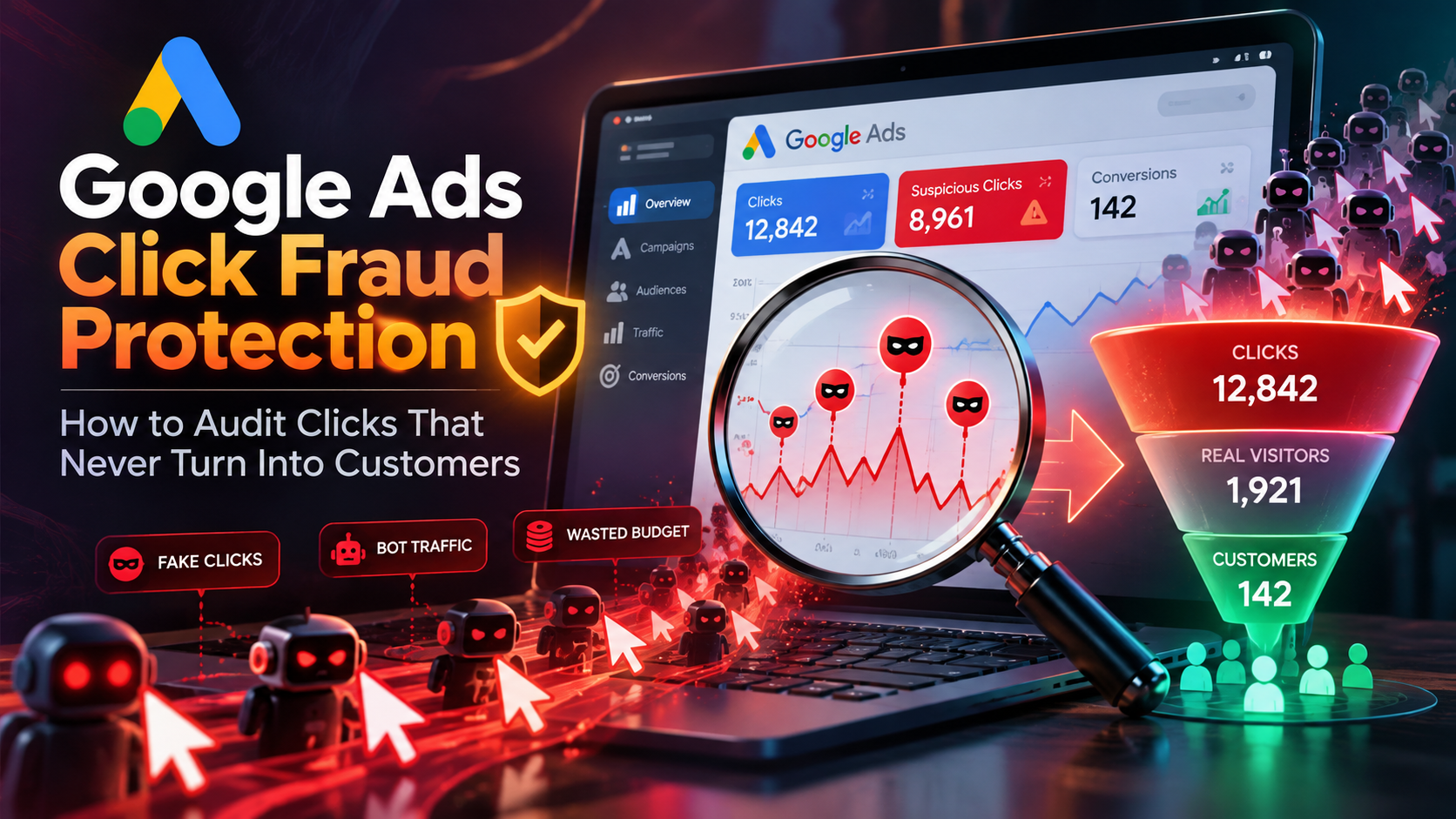
Have you ever looked at your Google Ads dashboard, seen clicks increasing, watched your budget disappear, and still wondered where all the customers went? You are not alone. A campaign can attract hundreds of clicks without generating meaningful leads or sales, leaving advertisers unsure whether they are dealing with poor targeting, a website problem, or potentially fraudulent traffic.
This is where google ads click fraud protection becomes important. It is not simply about blocking suspicious clicks. It is about understanding the quality of your traffic, investigating unusual patterns, and making sure your advertising budget is reaching people who could genuinely become customers.
Google has systems designed to detect and filter invalid clicks, but advertisers still need to monitor campaign performance, verify their tracking, and investigate problems that remain unexplained. Effective google ads click fraud protection also requires consistent monitoring, accurate conversion tracking, and careful analysis of traffic quality. A sudden increase in clicks or a low conversion rate does not automatically prove fraud. The goal is to gather evidence before making changes.
In this guide, you will learn how to audit clicks that do not turn into customers, recognize possible warning signs, check your Google Ads and analytics data, and use tracking tools such as Linkstrackly to gain a clearer picture of visitor activity. These steps provide a practical foundation for improving google ads click fraud protection without disrupting legitimate customer traffic.
Key Takeaways
- Not every wasted click is click fraud. Poor targeting, slow landing pages, tracking errors, and accidental clicks can all affect results.
- Audit the complete customer journey. Compare ad clicks with website sessions, engagement, leads, and actual sales.
- Look for patterns instead of isolated incidents. Repeated unusual activity, unexpected traffic spikes, and suspicious visitor behavior deserve investigation.
- Use Google Ads reporting alongside independent tracking. Different platforms measure activity differently, so discrepancies need context.
- Combine protection with performance analysis. Linkstrackly offers click analytics, visitor insights, traffic controls, and anti-fraud features that can support a more informed campaign audit.
Get a Clearer Picture of Your Ad Traffic
Want to understand where your clicks come from? Explore Linkstrackly’s tracking and analytics features to uncover traffic patterns and make more informed advertising decisions.
What Is Google Ads Click Fraud Protection?
Google Ads click fraud protection refers to the methods used to identify, prevent, monitor, and investigate advertising clicks that do not represent genuine interest in an advertiser’s offer. In practice, google ads click fraud protection combines automated safeguards with advertiser-led reviews of campaign performance and visitor behavior.
Click fraud is one form of invalid traffic. It can involve automated bots, deliberate competitor clicking, or other activity intended to waste advertising budgets or manipulate advertising metrics. However, invalid traffic is broader than intentional fraud. Accidental clicks and certain automated interactions can also fall into this category.
According to Google Ads’ explanation of invalid clicks, Google works to identify and filter clicks that do not represent genuine user interest. Understanding these safeguards is an important first step toward evaluating whether additional google ads click fraud protection measures are necessary. When invalid activity is detected and filtered, advertisers generally are not charged for those clicks. If certain invalid activity is discovered after billing, a credit may be issued where appropriate and possible.
So, why should advertisers still pay attention to click fraud protection?
Because not every poor-quality visit is automatically fraudulent, and not every suspicious pattern will be immediately obvious in a standard campaign dashboard. Advertisers need to understand their traffic, verify measurement, and investigate unusual activity that affects business results.
Effective protection combines several activities:
- Monitoring traffic quality.
- Identifying unusual click patterns.
- Checking whether clicks lead to meaningful website activity.
- Reviewing invalid-click reporting.
- Correcting campaign targeting and tracking issues.
- Using suitable tools to detect and respond to suspicious activity.
The objective is not to label every visitor who leaves quickly as a fraudster. It is to distinguish normal advertising waste from activity that deserves closer attention.
Why Do Google Ads Clicks Sometimes Fail to Become Customers?
Before you investigate fraud, understand why a legitimate visitor might click an advertisement without buying anything or completing a form. A reliable google ads click fraud protection process begins by identifying these ordinary causes before investigating potentially invalid traffic.
A click is an early step in the customer journey, not proof that someone is ready to purchase. People may be comparing options, researching prices, or simply exploring a topic.
Several factors can explain the gap between clicks and customers.
1. Your Ads Are Reaching the Wrong Audience
Your advertisement might attract people who are interested in the general topic but unlikely to buy your product.
For example, a company selling premium accounting software might receive clicks from people searching for free accounting templates. Those visitors may be genuine, but their needs do not match the offer. Google ads click fraud protection works alongside audience optimization to help advertisers identify wasted spend and investigate suspicious traffic patterns.
Review your search terms, keyword match types, audience settings, location targeting, and ad copy. Improving audience relevance can strengthen google ads click fraud protection by reducing wasted spend on visitors who are unlikely to convert. Add negative keywords where appropriate and make sure your landing page clearly communicates who the product is for.
2. Your Landing Page Is Not Converting Visitors
Imagine that your ad promises a free consultation, but the landing page asks visitors to complete a long form before they can learn anything. Some people will leave.
Other conversion barriers include:
- Slow page loading.
- Confusing navigation.
- Unclear pricing.
- Weak calls to action.
- Poor mobile usability.
- Unexpected fees or conditions.
- A mismatch between the ad promise and the page content.
A campaign can attract entirely legitimate clicks and still perform poorly because the landing page does not meet visitor expectations. Landing-page improvements complement google ads click fraud protection by addressing conversion problems that have nothing to do with fraudulent clicks.
3. Your Conversion Tracking Is Incorrect
Sometimes the customer journey works, but your analytics do not record it properly.
A missing tracking tag, broken form event, incorrectly configured conversion action, or disrupted URL parameter can make successful visits appear unsuccessful. Reliable google ads click fraud protection starts with accurate tracking so that measurement errors are not mistaken for invalid traffic.
Before deciding that you need stronger google ads click fraud protection, test your tracking setup. Accurate measurement is essential to google ads click fraud protection because unreliable data can make legitimate visitors appear suspicious. Complete a test purchase or form submission, check whether the expected event fires, and confirm that the conversion appears in the appropriate reporting system.
4. Your Sales Cycle Is Longer Than You Expect
Not every visitor converts during the first session.
Someone looking for business software may visit your website several times, compare competitors, speak with a colleague, and purchase days later. If you evaluate the campaign too quickly, you might incorrectly classify valuable traffic as wasted spend.
Use an appropriate conversion window and consider your average sales cycle when assessing results. Considering the full sales cycle helps ensure that google ads click fraud protection decisions are based on meaningful results rather than premature judgments.
5. Some Clicks May Be Invalid or Suspicious
Invalid activity is another possible explanation. Automated tools, deliberate repeated clicks, and other non-genuine interactions may inflate click numbers or consume attention and resources.
This possibility deserves investigation when unusual activity appears alongside other evidence. This is where google ads click fraud protection becomes particularly useful for identifying patterns that merit further investigation. However, a low conversion rate alone cannot establish that click fraud occurred.
Common Warning Signs of Potential Click Fraud
A useful audit begins with observable patterns. No single warning sign proves fraud, but several unusual signals occurring together may justify a closer review.
Sudden Click Spikes Without a Clear Explanation
Compare current traffic with your normal campaign patterns. A sharp increase in clicks without a corresponding change in impressions, budget, targeting, or campaign activity may deserve investigation. Monitoring these changes is an important part of google ads click fraud protection because unexplained spikes can reveal patterns that need closer review.
First, rule out legitimate explanations such as a new promotion, seasonal demand, a keyword change, or a competitor’s campaign ending. Monitoring these changes is a practical component of google ads click fraud protection, especially when unusual activity coincides with increased advertising costs.
Repeated Visits With Little Meaningful Engagement
A group of visits that repeatedly produces almost no meaningful activity can be a warning sign, especially when the pattern differs substantially from your usual audience.
Look at engagement, page views, form interactions, and other available events. Combining engagement data with other indicators makes google ads click fraud protection more reliable than relying on bounce rates alone. Remember that a short visit may be normal for a visitor who quickly finds a phone number or decides the product is not relevant.
Unexpected Geographic Traffic
Suppose your service is intended for customers in one region, but your reports suddenly show substantial traffic from locations outside your target market.
Check your location settings and geographic reports before assuming fraud. VPNs, mobile networks, privacy tools, and location-estimation errors can affect geographic data. A location mismatch is evidence to examine, not proof of malicious intent. Effective google ads click fraud protection relies on investigating geographic anomalies alongside other traffic-quality indicators.
Geographic comparisons can strengthen google ads click fraud protection investigations when they reveal unexplained deviations from normal campaign patterns.
Repeated Activity From the Same Technical Source
Repeated clicks associated with the same IP address or other technical identifier may warrant review, particularly when the timing and behavior are unusual.
But shared networks, offices, schools, mobile carriers, and households can place many genuine users behind the same public IP address. Some legitimate users also return repeatedly while researching a purchase.
Avoid excluding traffic based on a single identifier without considering context. A careful google ads click fraud protection process evaluates multiple signals before blocking visitors who may be legitimate customers.
A contextual review of repeated activity supports google ads click fraud protection while reducing the risk of excluding legitimate users who share a network.
High Click Volume With Very Few Qualified Leads
A campaign that attracts clicks but produces few qualified leads may have a traffic-quality problem. The cause could be invalid activity, broad targeting, weak ad messaging, or a landing page that does not meet visitor needs.
Compare the campaign with its historical performance and similar campaigns before drawing conclusions. Reviewing lead quality alongside click volume helps make google ads click fraud protection decisions more closely aligned with business outcomes.
Repeated Clicks at Unusual Times
Traffic concentrated in short bursts or recurring time windows can be worth examining if it is inconsistent with your normal audience behavior.
However, businesses operate across time zones, and automated systems can also produce legitimate website activity. Use timing as one clue within a broader investigation. Time-based analysis can contribute to google ads click fraud protection when unusual patterns are supported by additional evidence.
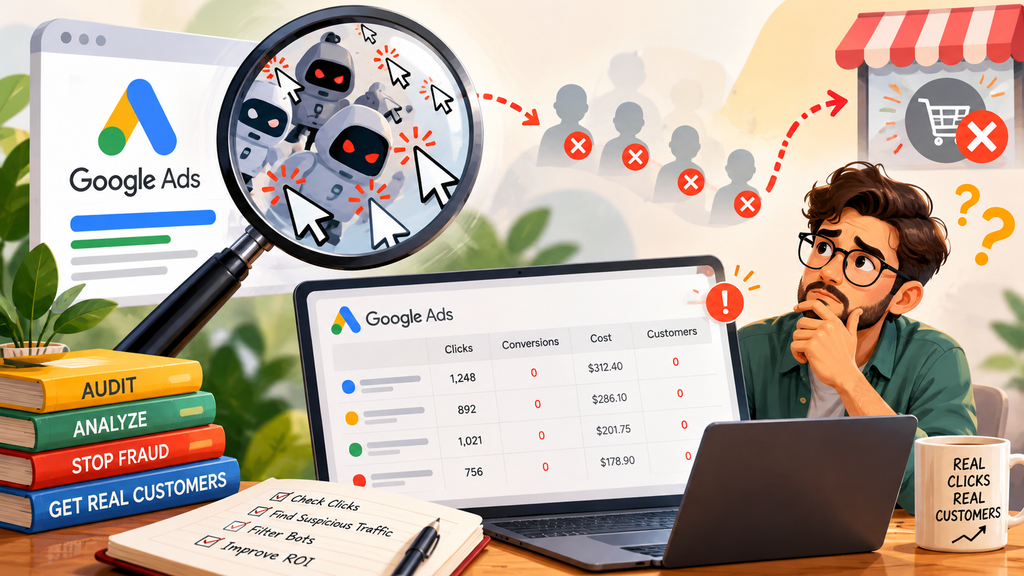
How to Audit Google Ads Clicks That Never Become Customers
A structured audit helps you move from guesswork to evidence. Follow these steps before changing campaign settings or accusing a competitor of click fraud.
Step 1: Establish a Reliable Baseline
Start by identifying what normal performance looks like. Establishing this baseline makes google ads click fraud protection more effective by giving you a reliable reference for detecting meaningful changes.
Review a representative period of campaign data and record:
- Total clicks and impressions.
- Click-through rate.
- Average cost per click.
- Total advertising spend.
- Conversions and conversion rate.
- Cost per conversion.
- Qualified leads or completed sales.
- Performance by campaign, ad group, keyword, device, and location where relevant.
Compare the current period with a similar previous period. If your business is seasonal, use a comparable season rather than relying only on the previous week.
This baseline helps you identify meaningful changes. A campaign receiving 30 clicks in an hour may be unusual for a small local business but entirely normal for a large account running a high-volume promotion.
Your definition of abnormal traffic should reflect your own historical data, budget, industry, and campaign goals.
Step 2: Review Invalid Clicks in Google Ads
Google Ads provides reporting for invalid clicks that its systems have already filtered. Regularly reviewing invalid-click reports helps integrate Google’s built-in safeguards into your google ads click fraud protection workflow.
To find the relevant columns:
- Sign in to your Google Ads account.
- Open the campaigns reporting view.
- Select the columns or modify-columns option above the statistics table.
- Search for Invalid clicks and, where available, Invalid interactions.
- Add the relevant columns and review the data by campaign.
The precise interface may change over time, but Google’s official troubleshooting guidance explains how to add these columns.
An important distinction: invalid-click reporting shows activity Google has identified and filtered. It does not necessarily provide a complete list of every suspicious event detected by an independent tool.
If the invalid-click count rises, that does not automatically mean your account is unprotected. It may indicate that Google’s systems are identifying and filtering invalid activity.
Likewise, a low reported invalid-click count does not establish that all your traffic is valuable or that every suspicious pattern has been resolved.
Step 3: Compare Google Ads Clicks With Website Sessions
This is one of the most important checks in a click audit. This comparison is a core part of google ads click fraud protection because it helps reveal measurement gaps before you attribute discrepancies to invalid activity.
Google Ads clicks and website sessions are different measurements. A click records an interaction with an advertisement, while a session represents a visit recorded by your analytics system according to its measurement rules.
Consequently, the numbers will not always match.
For example, someone might click your ad but leave before your analytics tag loads. A visitor could click more than once during one session. Consent settings, browser restrictions, redirects, and tracking configuration can also affect measurement.
Use this process:
- Choose the same date range in Google Ads and your analytics platform.
- Confirm that you are comparing equivalent campaigns and landing pages.
- Check whether tracking tags are present and functioning.
- Review redirects and URL parameters.
- Investigate large or persistent differences instead of assuming every discrepancy is fraud.
Google provides a detailed explanation of these issues in its guide to clicks and sessions discrepancies.
When evaluating google ads click fraud protection, this comparison helps you avoid a common mistake: treating a measurement problem as evidence of malicious traffic.
Step 4: Investigate Campaigns, Keywords, and Search Terms
A campaign-wide average can hide problems within individual segments. Segmenting performance data makes google ads click fraud protection more actionable by helping you isolate the campaigns and keywords that need attention.
One keyword may bring in valuable leads while another attracts visitors who are unlikely to purchase. If you evaluate only the overall conversion rate, you might miss the real issue.
Break down your results by:
- Campaign and ad group.
- Search term and keyword.
- Device type.
- Geographic area.
- Landing page.
- Day and time.
- Traffic source or campaign parameter, where available.
Look for sudden changes, repeated anomalies, and segments that perform differently from their historical baseline.
For search campaigns, review search terms to identify irrelevant queries. Add negative keywords where appropriate and adjust your messaging so users understand what you offer before clicking.
These changes can reduce legitimate but unproductive traffic. This approach supports google ads click fraud protection by helping advertisers separate targeting problems from suspicious click activity. That is useful campaign optimization, even when click fraud is not involved.
Turn Click Data Into Actionable Insights
Go beyond click counts with Linkstrackly. Explore tracking and reporting features to understand visitor activity, investigate unusual patterns, and evaluate your campaign performance more confidently.
Step 5: Examine Visitor Behavior After the Click
The next question is simple: what happens after a visitor arrives? Examining post-click activity gives google ads click fraud protection a broader perspective on whether visitors are engaging meaningfully with your website.
Check whether visitors view the intended page, move to another page, interact with important elements, begin a form, submit a form, or complete a purchase.
The specific metrics depend on your business. For an online store, product views and completed purchases may matter most. For a B2B company, form submissions, demo bookings, and qualified leads may be more useful.
A click-tracking and analytics platform can help connect campaign links with subsequent visitor activity. Linkstrackly describes features including visitor analytics, detailed reporting, click analytics, and performance tracking that can support this review.
You can explore its published features at Linkstrackly.
Use these insights to identify patterns that need investigation. Do not assume that every visitor who leaves immediately is a bot or that every repeated visit is fraudulent.
Step 6: Look for Multiple Signals Together
A stronger investigation considers several indicators rather than relying on one. Using several independent indicators strengthens google ads click fraud protection investigations and helps reduce false alarms.
For example, suppose a campaign suddenly receives much more traffic than usual. The visits cluster in a narrow time window, repeatedly show little meaningful engagement, and coincide with a sharp change in lead quality.
That combination deserves attention.
Now suppose the same campaign has a high bounce rate but stable traffic volume, normal geographic distribution, and a recent landing-page redesign. In that case, the page itself may be the more likely place to investigate first.
Build a simple incident record containing:
- The affected campaign and date range.
- The size and timing of the change.
- Relevant click, session, and conversion data.
- Any unusual geographic or device patterns.
- Recent changes to targeting, landing pages, and tracking.
- Evidence from your analytics or fraud-monitoring tools.
- Actions taken and the results.
This record makes it easier to compare incidents over time and share useful evidence with your team or Google Ads support.
Step 7: Check Your Landing Page and Tracking Setup
Before you change your fraud controls, verify that your website is not creating the problem. Technical verification should remain part of google ads click fraud protection because website errors can produce misleading traffic reports.
Open the landing page on desktop and mobile. Confirm that it loads correctly, the main offer is visible, forms work, and the conversion action fires after a successful submission or purchase.
Also check whether redirects are removing tracking parameters or whether the Google tag is installed correctly.
If a visitor clicks an ad but the tracking code never loads, your reports may show a click without a corresponding analytics session. This is not necessarily fraudulent activity.
Technical checks are an essential part of practical google ads click fraud protection because they help separate genuine traffic-quality problems from measurement errors.
Step 8: Document the Findings and Take Appropriate Action
Once you have collected evidence, decide what kind of issue you are facing. Documenting your findings turns google ads click fraud protection into a repeatable process that your marketing team can review and improve over time.
If the main problem is irrelevant search traffic, improve targeting and negative keywords. If conversions are missing because tracking is broken, fix the measurement setup. If your landing page is underperforming, test changes to its content, speed, or user experience.
If you have evidence suggesting invalid traffic, review Google’s reporting and follow the official investigation process where appropriate.
Google’s invalid traffic guidance explains that advertisers who suspect invalid traffic that has not been automatically filtered can submit an investigation request for activity within the preceding 60 days. Check the current guidance and submission requirements before filing.
Provide dates, affected campaigns, unusual patterns, and supporting information. Avoid making unsupported claims about a specific competitor or source.
The objective is to make a defensible decision based on evidence, not simply to find someone to blame. Evidence-based google ads click fraud protection helps advertisers respond to unusual traffic without making unsupported accusations or blocking genuine prospects.
How Linkstrackly Can Support Your Click Audit
A click audit becomes easier when you can connect traffic monitoring with campaign analysis. These capabilities can support your google ads click fraud protection workflow by bringing traffic monitoring and campaign analysis into a more organized process. Linkstrackly presents itself as a platform combining click fraud protection, link tracking, visitor analytics, and performance reporting.
Here is how its published features can fit into the workflow.
Visitor Analytics for Traffic Quality Checks
Linkstrackly describes visitor analytics and click reporting designed to help marketers understand incoming traffic.
During an audit, these insights can help you examine patterns in visitor activity and compare campaign traffic with expected behavior.
For example, if one tracked campaign suddenly receives more clicks but shows a different engagement pattern from similar campaigns, you can investigate that segment more closely.
Treat the results as indicators to examine rather than definitive proof of fraud.
Anti-Fraud Features and Traffic Controls
Linkstrackly lists integrated anti-fraud features, real-time blocking, click-threshold limitations, VPN traffic exclusion, and automatic population of IP exclusion lists among its advertised capabilities.
These controls may be useful when a campaign requires more active monitoring and traffic management. However, their effectiveness depends on the campaign configuration, the quality of detection, and the nature of the traffic.
Before relying on any control, understand how it works, what it identifies, and what happens when a visitor is flagged. Overly aggressive restrictions can exclude genuine customers, so review false-positive risks and monitor outcomes.
Detailed Reports for Better Decisions
Linkstrackly describes reporting with multiple ways to group and examine performance data.
Detailed reporting is valuable because a single campaign average may conceal a specific source, time window, or landing page that deserves attention.
Use reporting to compare trends, record anomalies, and measure whether your corrective actions improve lead quality or reduce unexplained waste.
Click Tracking and Conversion Attribution
A click count tells you that an interaction occurred. Attribution helps you understand which marketing touchpoints are associated with later outcomes.
Linkstrackly describes performance tracking, attribution, custom conversion events, and end-to-end journey mapping as part of its offering.
For example, a business could track campaign links and evaluate how visitors progress toward a lead form or purchase. When properly configured, that information can help distinguish campaigns that generate activity from campaigns that contribute to business results.
Attribution is not identical to fraud detection. A visitor who does not convert may still be genuine, and a click that receives credit for a conversion is not automatically free from invalid activity.
Using Linkstrackly Without Overcomplicating Your Audit
Start with a specific problem instead of enabling every available control at once.
Choose a campaign with unexplained performance changes. Confirm that its links and tracking are configured correctly, review the available visitor and click reports, and document the patterns you observe.
Then make one or two justified adjustments, such as refining targeting or investigating a suspicious traffic segment. Monitor the outcome before introducing additional restrictions.
This approach makes it easier to understand which changes actually helped.
For a closer look at the platform’s features, visit Linkstrackly’s official website. Review the current product documentation and plan details to confirm which controls are available for your specific setup.
How to Choose the Best Click Fraud Protection Tools for Google Ads
Searching for the best click fraud protection tools for google ads can produce a long list of platforms with overlapping promises. Choosing suitable google ads click fraud protection software requires comparing practical capabilities, reporting transparency, integration options, and the risk of false positives. The right choice depends on your campaign size, traffic sources, reporting needs, technical resources, and tolerance for false positives.
Instead of choosing based on a bold savings claim, compare tools against practical requirements.
1. Detection and Prevention Capabilities
Find out what the tool actually detects and what actions it can take.
Does it flag unusual traffic, block selected visitors, create exclusion lists, or simply provide reports? Does it operate in real time or primarily after the activity has occurred?
Also ask how the platform handles uncertain cases. A tool that blocks too aggressively may prevent potential customers from reaching your website.
2. Transparent Reporting
You should be able to understand why traffic was flagged and which evidence informed the decision.
Useful reporting might include timestamps, campaign identifiers, visitor behavior, source information, and a clear explanation of the platform’s detection categories, subject to privacy and technical limitations.
Avoid assuming that every tool uses the same definition of invalid traffic. Different detection methods can produce different results.
3. Integration With Your Marketing Setup
Check whether the tool supports the ad platforms, landing pages, analytics systems, and conversion events you use.
A solution that fits naturally into your workflow is generally easier to evaluate than one that requires complex manual processes or changes that your team cannot maintain.
4. False-Positive Management
A legitimate customer may share an IP address with other users, browse through a VPN, or visit several times before buying.
Ask how a tool handles shared networks, repeat visitors, location uncertainty, and legitimate automated services. Find out whether you can review flagged activity and adjust controls.
The best outcome is not simply blocking more traffic. It is reducing unwanted activity without unnecessarily excluding genuine prospects.
5. Measurement and Business Outcomes
A tool should help you evaluate meaningful outcomes, not just the number of clicks it flags.
Track qualified leads, completed sales, cost per acquisition, conversion rates, and the quality of visitors who reach your website. Compare results over a suitable period and account for changes in campaign settings.
6. Clear Pricing and Practical Support
Review pricing limits, usage allowances, supported integrations, onboarding, and cancellation terms. If a feature is essential to your workflow, confirm that it is included in the plan you are considering.
Linkstrackly combines tracking, analytics, and anti-fraud features according to its website, making it one option to evaluate against these requirements. Its suitability depends on your needs, the features available to your account, and the results you observe during use.
What Makes the Best Click Fraud Protection Platform for Google Ads?
The best click fraud protection platform for google ads is not necessarily the one that promises to block the most clicks. It is the one that helps you identify meaningful risks, understand your traffic, and make better campaign decisions without disrupting genuine customer activity.
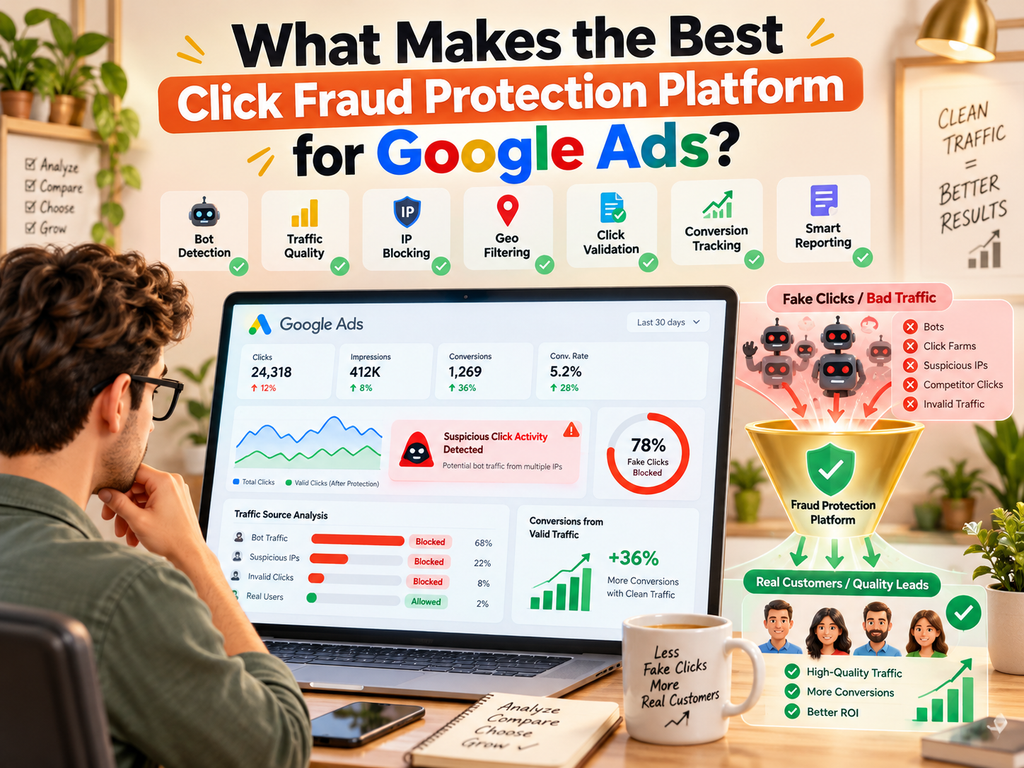
A useful evaluation framework includes the following questions:
| Evaluation area | What to check |
|---|---|
| Traffic detection | What types of suspicious activity can the platform identify? |
| Prevention | Can it block or restrict flagged traffic, and how are rules applied? |
| Reporting | Can you investigate specific campaigns and traffic patterns? |
| Attribution | Can you connect tracked visits with leads or sales? |
| Integration | Does it work with your current landing pages and marketing tools? |
| False positives | Can you review or correct questionable classifications? |
| Privacy | Does the service explain its data collection and retention practices? |
| Cost | Does the price make sense for your campaign size and requirements? |
Google’s built-in protections should remain part of your assessment. A third-party platform should be evaluated as a possible additional layer, not assumed to replace Google’s own invalid-traffic systems.
Ask vendors how their data differs from Google Ads reporting, what evidence supports their classifications, and how you can measure whether their controls are improving your business outcomes.
Common Mistakes to Avoid During a Click Fraud Audit
Even experienced advertisers can misinterpret campaign data. Avoid these common mistakes when putting google ads click fraud protection into practice.
Mistake 1: Assuming Every Low-Quality Click Is Fraud
A visitor can click an ad and leave because the offer is irrelevant, the price is too high, or the page does not answer their question.
Improve the campaign and landing page where needed. Reserve fraud investigations for patterns supported by additional evidence.
Mistake 2: Treating Every Click-Session Difference as Suspicious
Google Ads clicks and analytics sessions measure different things. Tracking failures, repeat visits, consent settings, and page-loading issues can create discrepancies.
Compare equivalent date ranges and check your implementation before concluding that the difference represents fraud.
Mistake 3: Blocking Traffic Based on One IP Address
Multiple people may share a network, and one person may use changing IP addresses. A single identifier is rarely sufficient to establish malicious behavior.
Use several signals and review the likely impact of any exclusion rule.
Mistake 4: Making Too Many Changes at Once
If you change keywords, locations, landing pages, and fraud settings simultaneously, it becomes difficult to identify which change affected performance.
Document the baseline, make targeted adjustments, and monitor results consistently.
Mistake 5: Ignoring Conversion Quality
A campaign may generate many form submissions but very few qualified leads. Another may generate fewer leads but produce more sales.
Evaluate the complete business outcome instead of relying on click volume alone.
Mistake 6: Expecting a Third-Party Tool to Guarantee Zero Fraud
No responsible audit should assume that one platform can eliminate every form of invalid traffic.
Detection systems have limitations, and traffic patterns change. Combine monitoring tools with sound campaign management, reliable tracking, and regular reviews.
A Practical Monthly Audit Checklist
Use this checklist to create a repeatable process for your advertising account.
- Compare clicks, spend, conversions, and qualified leads with a suitable historical period.
- Review invalid-click and invalid-interaction reporting in Google Ads.
- Compare ad clicks with website sessions using equivalent dates and campaign filters.
- Verify that landing pages, tags, forms, and conversion events work correctly.
- Investigate unusual changes by campaign, keyword, device, geography, and time.
- Review search terms and remove irrelevant traffic through appropriate targeting changes.
- Examine visitor behavior for multiple suspicious signals rather than one isolated metric.
- Record unusual events, evidence, and the corrective actions taken.
- Review any traffic-blocking rules for possible false positives.
- Measure whether changes improve qualified leads, sales, and cost efficiency.
For high-spend or fast-changing campaigns, review important indicators more frequently. The right schedule depends on your traffic volume, business risk, and how quickly you need to respond to unusual activity.
Make Every Advertising Insight Count
Ready to examine your campaign traffic more closely? Visit Linkstrackly to explore click tracking, visitor analytics, and reporting features that support smarter advertising decisions.
Conclusion: Turn Unexplained Clicks Into Actionable Insights
When your Google Ads budget is generating clicks but not customers, the answer is not always to block more traffic. Sometimes you need better targeting. A consistent google ads click fraud protection strategy brings these activities together, helping advertisers investigate suspicious traffic while continuing to improve targeting, tracking, and conversion performance.
Sometimes your landing page needs improvement. Sometimes tracking is missing important information. And sometimes the patterns genuinely warrant an investigation into invalid activity.
A practical approach to google ads click fraud protection starts with evidence. Establish a reliable performance baseline, check Google’s invalid-click reporting, compare clicks with website sessions, examine visitor behavior, and investigate unusual patterns across campaigns. Then make targeted changes and measure the results.
The most useful tools are those that help you understand both traffic quality and business outcomes. Linkstrackly brings together click tracking, visitor analytics, reporting, and advertised anti-fraud capabilities that marketers can evaluate as part of this process.
If you want a clearer view of how your campaign links perform and where your traffic deserves closer attention, explore Linkstrackly and compare its current features with your campaign requirements.
Remember, the goal is not to eliminate every click that fails to convert. It is to understand why visitors are not converting, identify genuinely suspicious activity, and spend your advertising budget more intelligently.
FAQs
1. What is Google Ads click fraud protection?
Google Ads click fraud protection refers to the processes and tools used to detect, filter, monitor, and investigate advertising activity that does not represent genuine user interest. Google has built-in invalid-traffic protections, while advertisers can also review campaign data and consider third-party monitoring tools.
2. How can I tell if my Google Ads clicks are fraudulent?
Look for multiple unusual signals, such as unexplained traffic spikes, repeated suspicious activity, unexpected geographic patterns, and changes in visitor behavior. Compare these findings with your historical performance and check tracking configuration first. No single metric, including a low conversion rate, proves click fraud.
3. Does Google Ads automatically protect campaigns from click fraud?
Google uses automated systems and other review processes to identify and filter invalid traffic. Clicks that Google identifies as invalid are generally removed from campaign metrics and billing, with credits issued where appropriate and possible if certain invalid activity is discovered later. However, advertisers should still monitor traffic quality and investigate unexplained performance issues.
4. Why do my Google Ads clicks not match my website sessions?
Clicks and sessions are different metrics. A visitor might click more than once in a session, leave before analytics loads, or browse with settings that limit tracking. Redirects, missing tags, and URL parameter problems can also contribute. Compare the same date ranges and verify your tracking setup before assuming fraud.
5. Can click fraud happen even when Google Ads reports no invalid clicks?
A zero or low invalid-click count does not mean your campaigns are generating high-quality traffic. It means the report is not showing a higher number of clicks that Google has classified and filtered as invalid for the selected data. Investigate unusual behavior separately and avoid treating third-party flags as automatic proof of fraud.
6. What are the best click fraud protection tools for Google Ads?
The right tool depends on your needs. Compare detection methods, prevention controls, reporting, integrations, attribution, false-positive handling, privacy practices, and pricing. Linkstrackly is one platform to evaluate because its website describes anti-fraud features alongside click tracking, visitor analytics, and performance reporting. Test its suitability against your actual campaigns and requirements.
7. Can I block suspicious IP addresses in Google Ads?
Google Ads provides ways to manage IP exclusions for eligible campaign types and configurations, but availability and functionality can vary. Before excluding an address, check the evidence and consider shared networks or changing IPs. A suspicious IP address alone does not establish that every visitor using it is fraudulent.
8. How does Linkstrackly help with click fraud protection?
Linkstrackly describes anti-fraud features, traffic controls, visitor analytics, detailed reporting, click tracking, and performance attribution. These capabilities can help marketers investigate traffic patterns and manage campaigns. The specific benefits depend on configuration and the features available to your account, so review the current product information at Linkstrackly.
9. How often should I audit Google Ads traffic for click fraud?
Review key metrics regularly, with more frequent checks for high-spend campaigns or accounts experiencing unusual activity. A monthly audit can provide a consistent baseline, while sudden unexplained changes may require immediate investigation. Choose a schedule that reflects your traffic volume, budget, and business risk.
10. What should I do if I believe my Google Ads account has received invalid traffic?
Document the affected campaigns, dates, traffic patterns, and relevant reporting. Check your invalid-click columns and verify your analytics and landing pages. If you suspect invalid traffic that Google has not filtered, follow the current Google Ads invalid-traffic investigation guidance and submit the requested information within the applicable time window.